AXIS P8221 Installation Guide Page 3
ENGLISH
AXIS P8221
Installation Guide
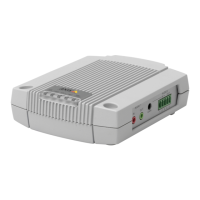
This installation guide provides instructions for installing an AXIS P8221 Network I/O Audio Module
on your network. For all other aspects of using the product, please see the User’s Manual, available
on the CD included in this package, or from www.axis.com
Installation steps
Follow these steps to install AXIS P8221 on your local network (LAN):
1. Check the package contents against the list below.
2. Hardware overview. See page 4.
3. Install the hardware. See page 5.
4. Assign an IP address. See page 6.
5. Set the password. See page 9.
Package contents
Item Models/variants/notes
Network I/O Audio Module AXIS P8221
Indoor power supply
(country specific)
Europe/UK, Australia, USA/Japan, Argentina, Korea
Terminal block connectors • Audio: 5-pin connector
• I/O: Two 6-pin connectors
• Power: 3-pin connector
• RS-232/485/422: 5-pin connector
Mounting kit • 2 screws and plugs to mount the device to a concrete wall
• 4 surface protection pads
CD AXIS Network Video Product CD, including product documentation, installation
tools and other software
Printed Materials AXIS P8221 Network I/O Audio Module Installation Guide (this document)
Axis Warranty Document
Extra serial number label
Important!
This product must be used in
compliance with local laws and
regulations.


 To Next Page