AXIS P8221 Installation Guide Page 13
ENGLISH
Unit connectors
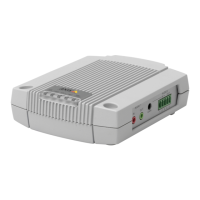
RS-232/485/422 connector - 5-pin terminal block for the RS-232/485/422 serial interface used
to control auxiliary equipment. The port can be used in the following modes:
• 2TX/2RX RS-232 interface (RD, TD, RTS, CTS)
• Bidirectional RS-485 half-duplex port for data transmission using
two wires, one combined RX/TX pair
• Bidirectional RS-485 full-duplex port for data transmission using
four wires, one RX pair and one TX pair
• Unidirectional RS-422 port for transmitting and receiving data
using two wires, RX- or TX pair
• Bidirectional RS-422 full-duplex port for data transmission
(point-to-point) using four wires, one RX pair and one TX pair
Note:
When using a long cable and high communication speeds it is recommended to insert a 120 ohm
termination resistor between the RS-485 wires at both ends of the cable.
Audio 1:
Audio in (pink) – 3.5 mm input for a mono microphone, or a line-in mono signal (left channel is
used from a stereo signal).
Audio out (green) – 3.5 mm output for audio (line level) that can be connected to a public address
(PA) system or an active speaker with a built-in amplifier. A pair of headphones can also be
attached. A stereo connector must be used for the audio out.
Function Pin Notes
RS-232 TD alt
RS-485/422TX(B)
1 RS-232 Driver Output
TX pair for RS-422 and 4-wire RS-485 (combined RX/TX pair
for 2-wire RS-485)
RS-232 RTS alt
RS-485/422TX(A)
2
GND 3 Ground
RS-232 CTS alt
RS-485/422RX(B)
4 RS-232 Receiver Input
RX pair for all RS-485/422 modes
RS-232 RD alt
RS-485/422RX(A)
5


 To Next Page

