5
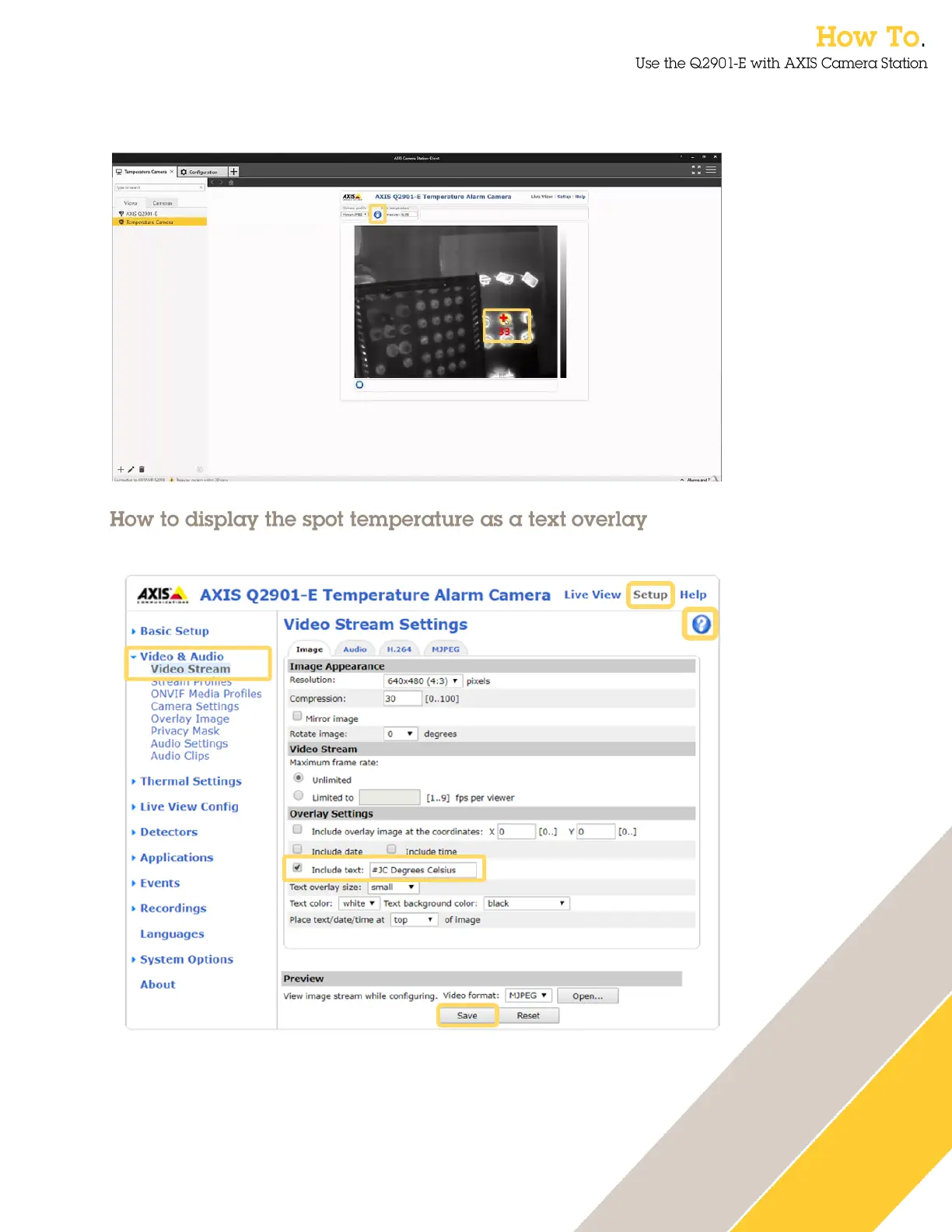
4. Select the spot measurement tool and then you can click within the image to view the
temperature.
You can configure the spot temperature to be displayed as a text overlay.
1. Enter the web interface of the AXIS Q2901-E, select Setup and then select Video Stream
from the Video & Audio menu.
2. Tick the include text box and insert #JC Degrees Celsius and press Save. Note that
other overlay options are available, click on the help icon to find out more.


 To Next Page