EasyManua.ls Logo

Axis Q1921 - User Manual

Axis Q1921
63 pages
Print Icon
To Next Page IconTo Next Page
Loading...
USER MANUAL
AXIS Q19 Thermal Camera Series
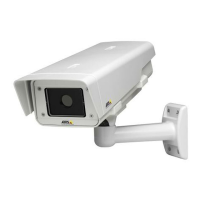
AXIS Q1910 Thermal Network Camera
AXIS Q1910-E Thermal Network Camera
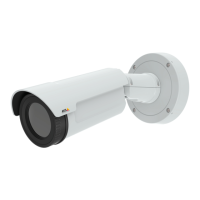
AXIS Q1921 Thermal Network Camera
AXIS Q1921-E Thermal Network Camera
AXIS Q1922 Thermal Network Camera
AXIS Q1922-E Thermal Network Camera

Other manuals for Axis Q1921

Questions and Answers

Axis Q1921 Specifications

General IconGeneral
BrandAxis
ModelQ1921
CategorySecurity Camera
LanguageEnglish

Summary

Notices and Safeguards

Safeguards and Warnings

Safety precautions and warnings for product installation and handling.

Product overview

Key features

Highlights of the AXIS Q19 Series, including thermal imaging, lens options, and PoE.

Hardware overview

Unit connectors

Accessing the camera

Access from a browser

Step-by-step guide to accessing the camera's interface through a web browser.

Internet Access and Security

Access from the Internet

Instructions for making the camera accessible over the internet via router configuration.

Setting the root password

Guide to setting the initial administrator password for secure access.

Focus adjustment

The Live View page

Live View Page Controls

Pan;Tilt;Zoom Controls

Details on controlling camera pan, tilt, and zoom functions, including joystick and preset positions.

Video Streams

How to stream H.264

Explains H.264 compression and various streaming protocols like Unicast RTP, RTSP, and Multicast.

Video Stream Access Methods

AXIS Media Control (AMC)

Details on using AMC for accessing live video and configuring settings in Windows.

Setup Tools

Basic Setup

Provides shortcuts to essential initial camera settings like Users, TCP/IP, Date & Time, and Video Stream.

Video & Audio

Image Appearance

Settings for resolution, compression, rotation, mirroring, and palettes to adjust image quality.

Video and Audio Configuration

Audio

How to enable audio in the video stream and configuration options.

H.264

Settings for H.264 streams, including GOV settings and bit rate control (VBR/CBR).

Video Stream Settings

Stream Profiles

How to create, copy, modify, and remove pre-programmed or custom video stream profiles.

Camera Settings

Access to image settings like brightness, contrast, and exposure.

Image and Audio Adjustments

Audio Settings

Configuration of basic audio settings for the network camera, including channels and modes.

Live View Config

PTZ (Pan Tilt Zoom)

Installing a Pan;Tilt device

Steps to connect and install a Pan/Tilt device for camera control.

Preset Positions

How to save and access predefined camera views for quick positioning.

PTZ Control and Configuration

Applications

Events

Event Servers

Configuration of servers to receive uploaded images and notification messages.

Event Types

Defining triggers and actions for events like motion detection or alarms.

Event Configuration and Saving Streams

Triggered Event

Explains how events are activated by signals like input ports, motion, or system status.

Save stream

Options for saving video streams, including pre/post-trigger buffers for event recording.

Scheduled Events and Tampering Detection

Camera tampering

How the camera detects and alarms for repositioning or lens obstruction.

Motion Detection Setup

Recording List

Continuous Recording Setup

System Options

Users

User access control, defining viewer, operator, and administrator roles.

System Options: Security and Audio

System Options: Date, Time, and Network

System Network Configuration

NAT traversal (port mapping) for IPv4

Configuring port mapping in NAT routers for intranet availability over WAN.

System Options: Storage and Maintenance

Storage

Managing local storage, including SD card setup, status, and disk cleanup.

Maintenance

Camera restart and reset to factory default settings.

Support

Logs & Reports

Accessing system logs, access logs, server reports, and parameter lists for troubleshooting.

Resetting to the factory default settings

Troubleshooting

Upgrading the firmware

Instructions for downloading and installing the latest firmware for the camera.

Emergency Recovery Procedure

Steps to recover the camera if it becomes unresponsive after a failed firmware upgrade.

Troubleshooting: Axis Support

Troubleshooting: Symptoms and Remedial Actions

Troubleshooting: Video and Audio Issues

Technical Specifications for AXIS Q1910;-E

AXIS Q1910;-E Technical Specs: Integration and General

Technical Specifications for AXIS Q1921;-E

AXIS Q1921;-E Technical Specs: Audio, Network, and General

Technical Specifications for AXIS Q1922;-E

AXIS Q1922;-E Technical Specs: Audio, Network, and General

Network

Network security features, supported protocols for AXIS Q1922/-E.

AXIS Q1922;-E Technical Specs: Approvals and Performance

Related product manuals