6
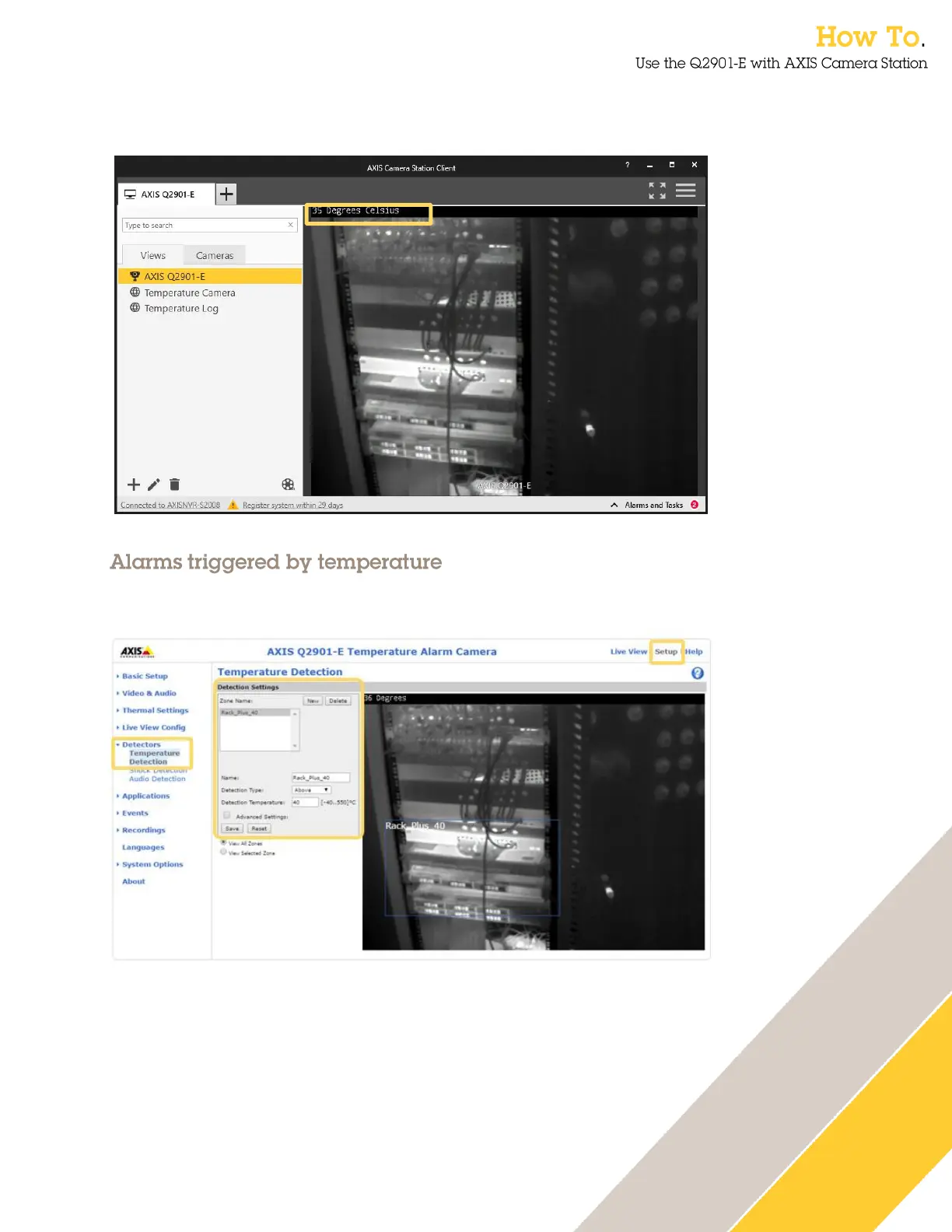
3. Now the temperature of the spot measurement will be displayed in the top of the video
image.
You can configure an alarm to be triggered when a zone rises above or falls below a certain
temperature.
1. Enter the web interface of the camera, select set up and then Temperature Detection
within the Detectors menu.
2. Give the alarm a descriptive name and select the detection type – above or below a
specific temperature or an increase in temperature.
3. Specify the detection temperature.
4. Position the detection box to the desired position and press Save.


 To Next Page