7
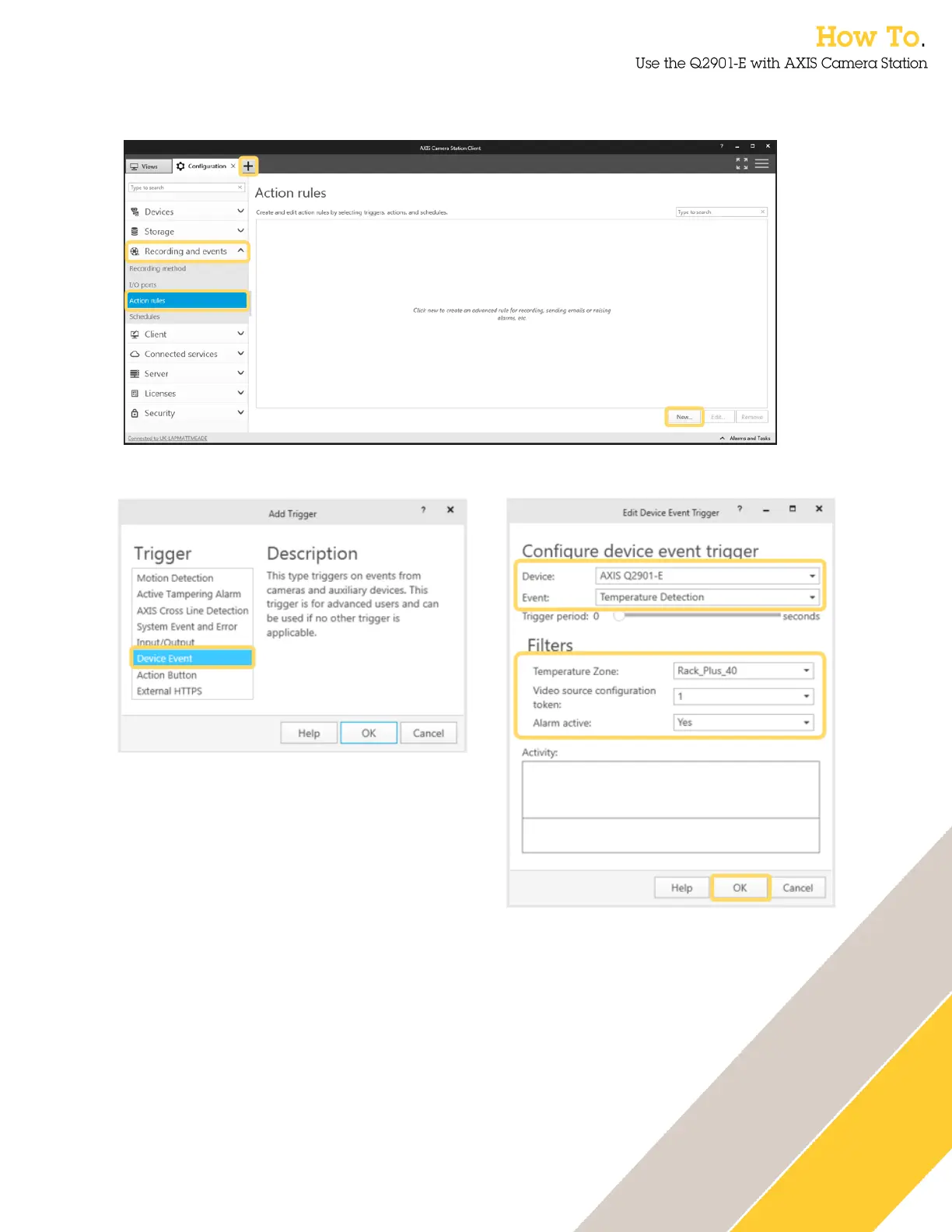
5. The next step is to create an Action rule in AXIS Camera Station. Open the Configuration
tab and select action rules from the Recording and events menu. Select New…..
6. Select Add a trigger and select Device Event.
7. Select the AXIS Q2901-E as the device.
8. Select Temperature Detection as the Event.
9. Select the Temperature Zone that was configured in the AXIS Q2901-E web interface.
10. Select Yes to activate the alarm. Once activated you can see activations in the activity
window.
11. Click OK.


 To Next Page