8
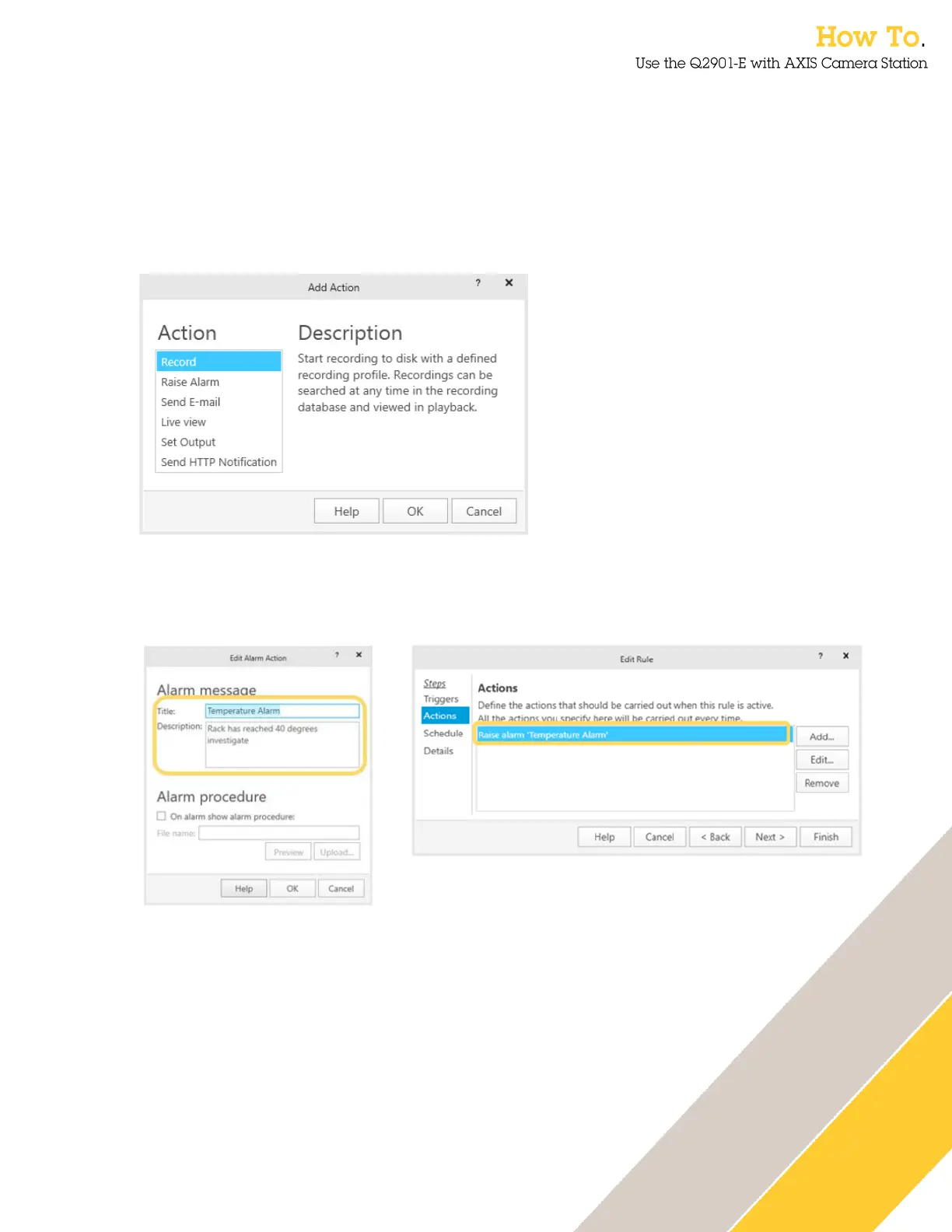
12. The next step is to define the Actions, this is what happens when an alarm has been
activated. Several options are available such as recording the event with pre-event
recording to observe what occurred before the activation, sending an email, triggering a
contact closure output to turn on a warning lamp or similar and Http triggers which can be
used to activate audio messages on an Axis speaker such as the AXIS C3003-E. The
example below will create an alarm alert message which is sent to the operator and the
view will automatically change to the temperature alarm camera when the alarm
temperature is reached.
13.
14. To create an alarm event, Select Raise Alarm. Enter a message that will be shown to the
AXIS Camera Station operator to inform them of the temperature alarm.
15. Click Add… to add additional Actions.


 To Next Page