9
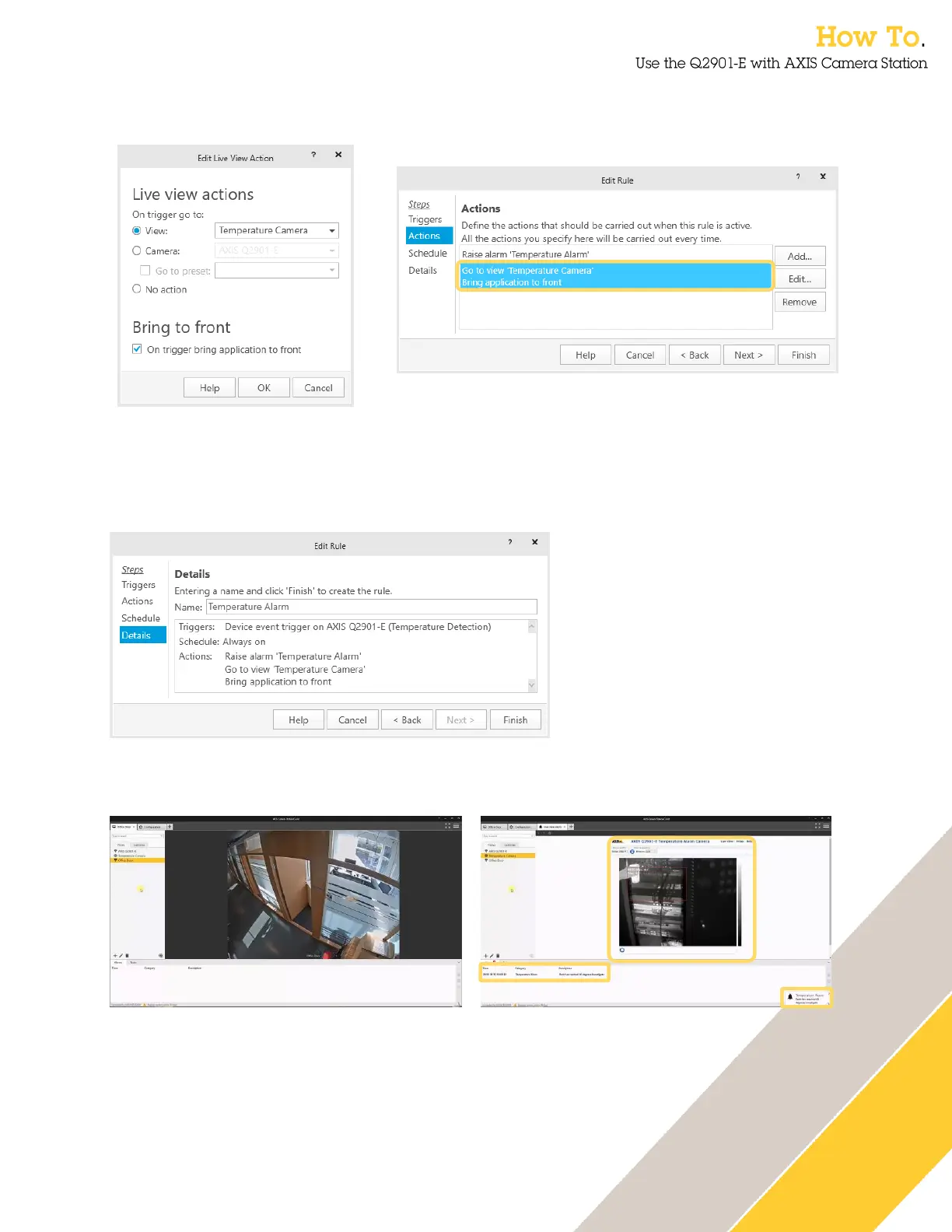
16. To automatically change the operators view select Live view. Choose the camera view to
be shown when the alarm is activated.
17. Multiple action can be associated with the alarm, click Next when complete. The next
option is to add a schedule, configure this if it is required.
18. The final step is to name the Action Rule. This is important especially if multiple rules are
used.
19. You can then test your configuration. Is this case the view has changed and alarm
message is presented to the operator.


 To Next Page