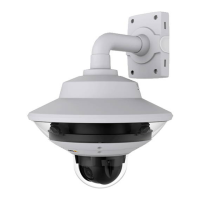
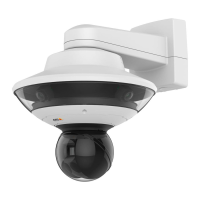
AXISQ6000-EPTZNetworkCamera
Video
Touseanoverlayimage,theimagemustrstbeuploadedtotheAxisproduct.TheuploadedimageshouldbeaWindows24-bitBMP
imagewithmaximum250colors.Theimagewidthandheight,inpixels,mustbeexactlydivisibleby4andcannotbelargerthanthe
maximumimageresolution.Ifcombiningtextandimageoverlays,takeintoconsiderationthatthetextoverlayoccupies16or32
pixelsinheight(dependingontheresolution)andhasthesamewidthasthevideoimage.
ToautomaticallyscaletheimagetotheresolutionusedbytheAxisproduct,selecttheoptionScalewithresolutionfromthe
TransparencySettingspagewhichisdisplayedwhenuploadingintheimage.
Touploadanoverlayimage:
1.GotoVideo>OverlayImage.
2.ClickBrowseandbrowsetothele.
3.ClickUpload.
4.TheTransparencySettingspageisnowdisplayed:
-Tomakeacolorintheoverlayimagetransparent,selectUsetransparencyandentertheRGBhexadecimalvalue
forthecolor.Example:Tomakewhitetransparent,enter#FFFFFF.
Formoreexamplesofhexadecimalvalues,seetheonlinehelp
.
-Toscaletheimageautomatically,selectScalewithresolution.Theimagewillbescaleddowntotthe
resolutionusedbytheAxisproduct.
5.ClickSave.
Toselecttheimagetouseasoverlay:
1.GotoVideo>OverlayImage.
2.SelecttheimagetousefromtheUseoverlayimagelistandclickSave.
Todisplaytheoverlayimage:
1.GotoVideo>VideoStreamandselecttheImagetab.
2.UnderOverlaySettings,selectIncludeoverlayimageatthecoordinates.
3.Tocontroltheimage’sposition,entertheXandYcoordinates.TheX=0andY=0positionisthetopleftcorner.Ifapartof
theimageispositionedoutsidethevideoimage,theoverlayimagewillbemovedsothatthewholeimageisvisible.
4.ClickSave.
UseOverlayTextinanActionRule
Actionrules,seepage33,candisplayanoverlaytextwhentheruleistriggered.Thetextcanbeusedtoprovideinformationfor
forensicvideoanalysis,notifysurveillanceoperatorsorvalidatetriggersandactionsduringproductinstallationandconguration.
Todisplayoverlaytextwhenanactionruleistriggered,themodier#Dshouldbeusedasdescribedbelow.Whentheruleis
triggered,#Dwillbereplacedbythetextspeciedintheactionrule.
Startbyenablingoverlaytextinthevideostream:
1.GotoVideo>VideoStreamandselecttheImagetab.
2.UnderOverlaySettings,selectIncludetext.
3.Enterthemodier#Dand,optionally,additionaltextwhichwillbedisplayedalsowhentheactionruleisnotactive.
Createtheactionrule:
1.GotoEvents>ActionRules
23



 To Next Page