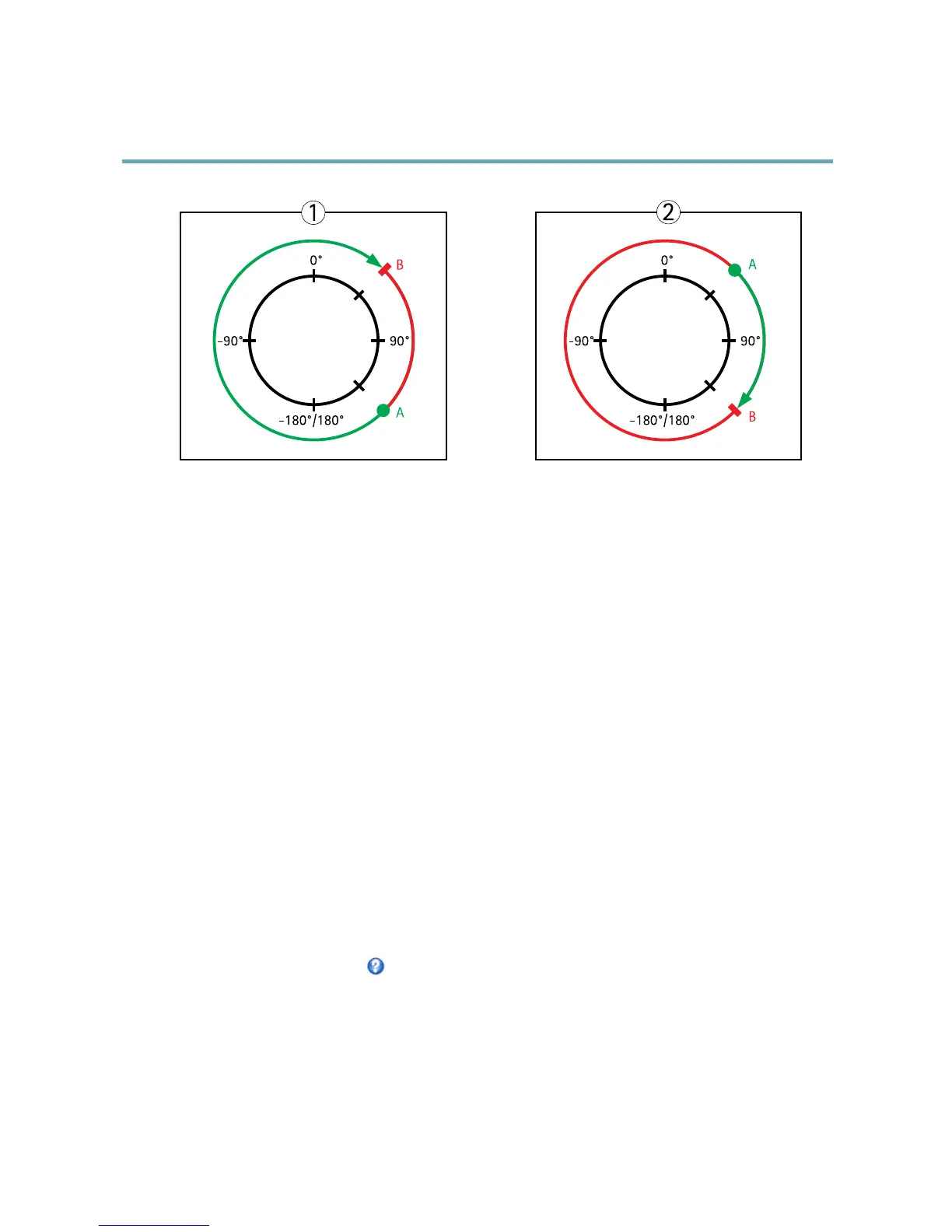
Topview
APanlimitstart
BPanlimitend
GuardTour
Aguardtourdisplaysthevideostreamfromdifferentpresetpositions,one-by-one,inapredeterminedorderoratrandomandfor
congurabletimeperiods.Theenabledguardtourwillkeeprunningaftertheuserhasloggedofforclosedthebrowser.
TheguardtourcapabilityinthisAxisproductalsoincludestourrecording.TourrecordingisdescribedinTourRecording,onpage30.
Toaddaguardtour:
1.GotoPTZ>GuardTourandclickAdd.
2.SelectCreateapresettourandclickOK.
3.Enteradescriptivename.
4.Specifythepauselengthbetweenruns.
5.SelectanavailablepresetpositionandclickApply.
6.SpecifytheMoveSpeed.
7.SpecifytheViewTimeinsecondsorminutes.
8.SpecifytheViewOrderorselecttheRandomvieworderoption.
9.ClickSave.
Tomodifyorremoveguardtours,gotoPTZ>GuardTour,selecttheguardtourintheGuardTourListandclickModify/Remove.
Formoreinformationseetheonlinehelp
.
TourRecording
Theguardtourfunctioninthisproductincludestourrecording,whichallowsrecordingofacustomtourusinganinputdevicesuch
asajoystick,mouse,keyboardorthroughtheVAPIX®ApplicationProgrammingInterface(API).Arecordedtourdisplaysthevideo
streamoftherecordedsequenceofPan/Tilt/Zoommovements,includingtheirvariablespeedsandlengths.
Toaddarecordedtour:
30



 To Next Page