AXISQ6055-EPTZDomeNetworkCamera
Setup
1.GotoSettings>Image.
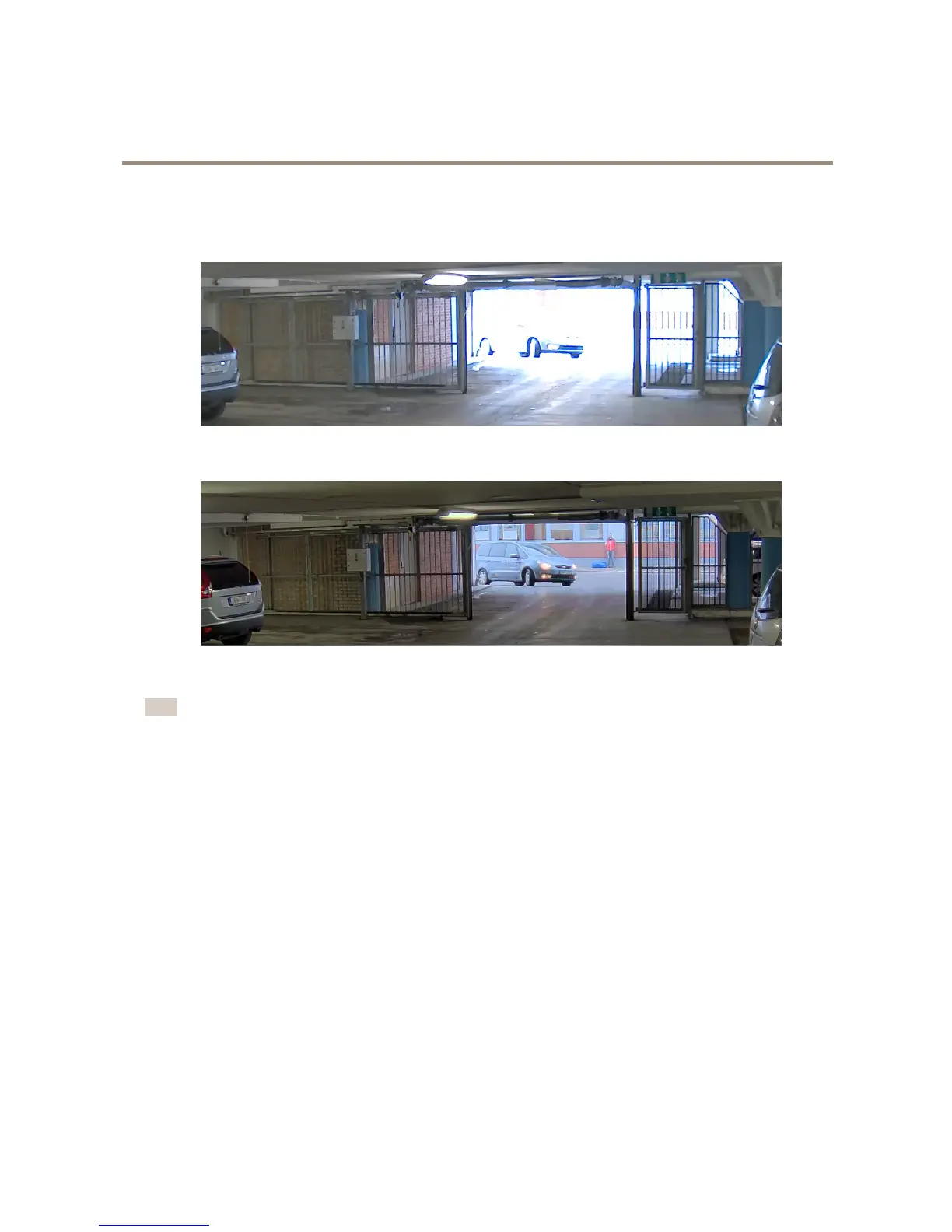
2.TurnonWDRunderWidedynamicrange.
ImagewithoutWDR.
ImagewithWDR.
Note
IfyouuseWDR,youmayexperiencesomeWDRartifactsintheimage.
FindoutmoreaboutWDRandhowtouseitataxis.com/web-articles/wdr
Overlays
Aboutoverlays
Overlaysaresuperimposedoverthevideostream.Theyareusedtoprovideextrainformationduringrecordings,suchasatimestamp,
orduringproductinstallationandconguration.
Howtoshowatextoverlaywhenthecameradetectsmotion
Thisexampleexplainshowtodisplaythetext“Motiondetected”whenthecameradetectsmotion:
1.GotoSettings>Overlay.
2.Enter#Dinthetexteld.
3.Choosealignment,textsizeandappearance.
4.Includethetextoverlay.
5.GotoSystem>Events>Actionrules.
6



 To Next Page