AXISQ6114-EPTZDomeNetworkCamera
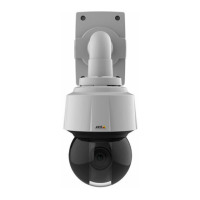
HardwareOverview
NO NO
NO
TICE TICE
TICE
Theproductshallbeconnectedusingashieldednetworkcable(STP).Allcablesconnectingtheproducttothenetworkshall
beintendedfortheirspecicuse.Makesurethatthenetworkdevicesareinstalledinaccordancewiththemanufacturer’s
instructions.Forinformationaboutregulatoryrequirements,seeElectromagneticCompatibility(EMC)onpage2.
NO NO
NO
TICE TICE
TICE
TocomplywiththeIP66-rateddesignofthecameraandmaintaintheIP66protection,thesuppliedRJ45Push-pullConnector
(IP66)shallbeused.Alternatively,usetheRJ45IP66-ratedcablewithpremountedconnectorwhichisavailablefromyour
Axisreseller.Donotremovetheplasticnetworkconnectorshieldfromthecamera.
SDCardSlot
NO NO
NO
TICE TICE
TICE
•RiskofdamagetoSDcard.Donotusesharptools,metalobjectsorexcessiveforcewheninsertingorremovingthe
SDcard.Useyourngerstoinsertandremovethecard.
•Riskofdatalossandcorruptedrecordings.DonotremovetheSDcardwhiletheproductisrunning.Disconnectpoweror
unmounttheSDcardfromtheAxisproduct’swebpagesbeforeremoval.
ThisproductsupportsSD/SDHC/SDXCcards(notincluded).
ForSDcardrecommendations,seewww.axis.com
ControlButton
Forlocationofthecontrolbutton,seeHardwareOverviewonpage6.
Thecontrolbuttonisusedfor:
•Resettingtheproducttofactorydefaultsettings.Seepage54.
•ConnectingtoanAXISVideoHostingSystemservice.Seepage46.Toconnect,pressandholdthebuttonforabout3
secondsuntiltheStatusLEDashesgreen.
•ConnectingtoAXISInternetDynamicDNSService.Seepage46.Toconnect,pressandholdthebuttonforabout3seconds.
PowerButton
Thepowerbuttonisusedwiththecontrolbuttontoresetthecameratofactorydefaultsettings.Seepage54.
LEDIndicators
StatusLED
Indication
Unlit
Connectionandnormaloperation.
GreenShowssteadygreenfor10secondsfornormaloperationafterstartupcompleted.
Amber
Steadyduringstartup.Flashesduringrmwareupgrade.
Amber/RedFlashesamber/redifnetworkconnectionisunavailableorlost.
7


 To Next Page