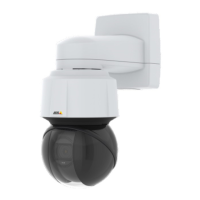
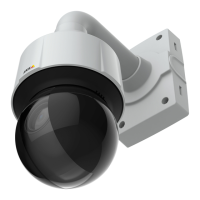
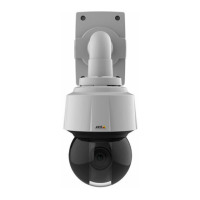
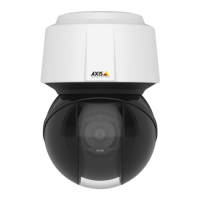
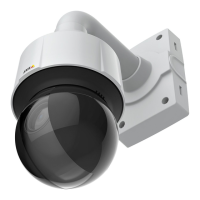
AXISQ6128-EPTZNetworkCamera
Video
Aboutstreamproles
Astreamproleisasetofpredenedstreamsettingsincludingresolution,compression,framerateandoverlaysettings.Stream
prolescanbeused:
•Whensettinguprecordingusingactionrules.SeeEventsonpage34.
•Whensettingupcontinuousrecording.SeeContinuousRecordingonpage40.
•IntheLiveViewpage–selectthestreamprolefromtheStreamproledrop-downlist.
Tocreateanewproleormodifyanexistingprole,gotoSetup>Video>StreamProles.
ToselectadefaultstreamprolefortheLiveViewpage,gotoSetup>LiveViewCong.
AboutONVIFmediaproles
AnONVIFmediaproleconsistsofasetofcongurationsthatcanbeusedtochangemediastreamsettings.ONVIFmediaproles
canbeusedbyaclienttoconguremediastreamproperties.
TheONVIFMediaProlespagelistsallpreconguredproles.Theseprolesareincludedintheproductforquicksetup.Youcan
add,modifyorremoveONVIFmediaprolesfromthispage.
CameraSettings
TheVideo>CameraSettingspageprovidesaccesstoadvancedimagesettingsfortheAxisproduct.
CaptureMode
CapturemodedenesthemaximumframerateavailableintheAxisproductandaffectslightsensitivity.Acapturemodewithahigh
maximumframeratehasreducedlightsensitivityandviceversa.
Tochangecapturemode,followthesesteps:
1.GotoSetup>Video>CameraSettings.
2.Selectthenewcapturemode.
3.ClickSave.
ImageAppearance
TochangeImageAppearancegotothemenusunderSetup>Video>CameraSettings.
IncreasingtheColorlevelincreasesthecolorsaturation.Thevalue100producesmaximumcolorsaturationandthevalue0
resultsinablackandwhiteimage.
TheimageBrightnesscanbeadjustedintherange0–100,whereahighervalueproducesabrighterimage.
IncreasingtheSharpnesscanincreasebandwidthusage.Asharperimagemightincreaseimagenoiseespeciallyinlowlight
conditions.Alowersettingreducesimagenoise,butthewholeimagewillappearlesssharp.
WhiteBalance
TochangethissettinggotoSetup>Video>CameraSettings
Whitebalanceisusedtomakecolorsintheimageappearthesameregardlessofthecolortemperatureofthelightsource.TheAxis
productcanbesettoautomaticallyidentifythelightsourceandcompensateforitscolor.Alternatively,selectthetypeoflight
sourcefromthedrop-downlist.Foradescriptionofeachavailablesetting,seetheonlinehelp
.
17



 To Next Page