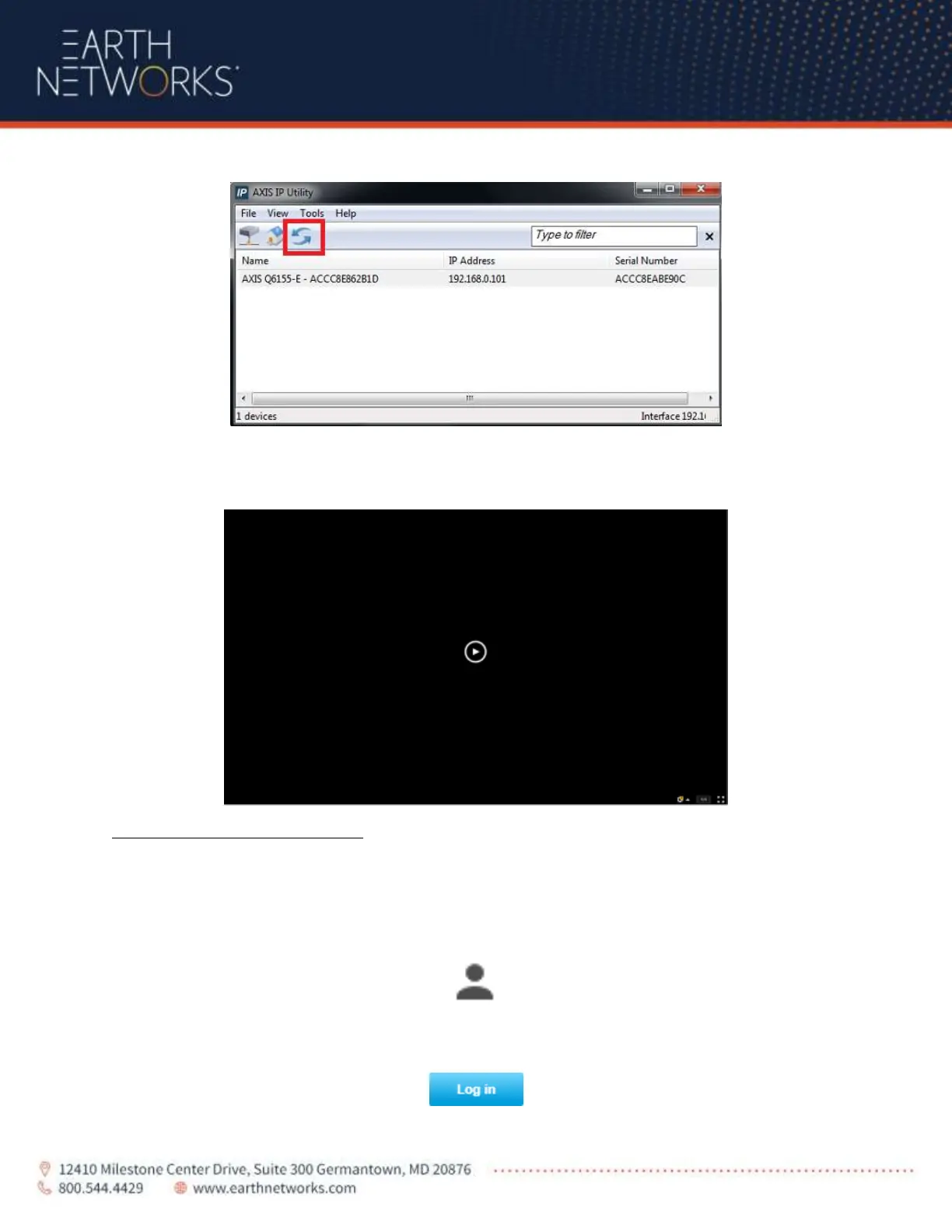
If you do not see the camera right away, you can search for it by clicking on the blue refresh icon.
Once done locating the camera, to access the camera, simply double click on the Name of the camera.
To access the live stream of the camera, click on the play button that is on the black image.
How to login and move the Camera
In order to login into the camera, you will need to follow the above steps first on how to find the camera.
After navigating to the camera via its IP address, you will need to login by clicking on the person icon in
the top right hand corner
Next click on the blue “login” icon in the pop-up window



 To Next Page