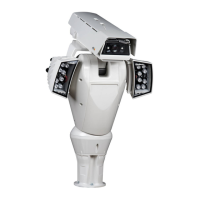
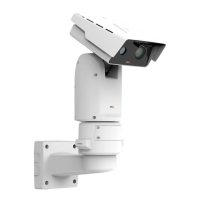
AXISQ8685-EPTZNetworkCamera
AboutPTZ(PanTiltZoom)
•AdaptiveNearLimit–Enableordisabletheadaptivenearlimitfunction.
•IlluminatortypeIL1–SelecttheilluminatortypeconnectedtoilluminatorconnectorIL1.
•IlluminatortypeIL2–SelecttheilluminatortypeconnectedtoilluminatorconnectorIL2.
•ImageFreezeMode–SelectPresetstofreezethevideostreamwhilethecamerachangesthepresetposition.Select
Alltofreezethevideostreamwhilethecamerachangesthepresetpositionorwhenpan/tiltisoperatedmanually.
SelectOfftodisabletheimagefreezemode.
•Lightsensorenabled–Selecttoactivatethelightsensor.
•Lightsensorswitchthreshold–EnteravalueforthelightlevelcomingfromthelightsensorthattriggerstheLight
sensorvirtualinput.
•Lightsensorswitchtime–EnteravaluefortheminimumtimerequiredaboveorbelowthesetLightsensorswitch
thresholdbeforeavirtualinputchangeisgenerated.
•Lightsensorupdatethreshold–SelecttoupdatetheLightsensorswitchthresholdvaluetothecurrentlightsensorvalue.
•Lightsensorvirtualinput–Enterthevirtualinputportnumberthatshouldbetriggeredwhenthelightsensorgoesabove
theLightsensorswitchthreshold.Ifyouenter0,novirtualinputportistriggered.
•MoveSpeed–Enteravalueforthepan/tiltspeed.
•NozzlePosition–Selecttousethecurrentpan/tiltpositionasthewashingposition,andtoenabletheWasherbuttonon
theLiveViewpage.
•SpeedZoom–Enableordisablethespeedzoomfunction.
•SpeedZoomonAF–Enableordisablethespeedzoomwithautofocusfunction.
•Washerpumppin–EnteravaluefortheI/Oportthewasherpumpisconnectedto.
•Washerpumptime–Enteravalueforhowlongthepumpshouldruninthewashingprocedure.
•Washerwipertime–Enteravalueforhowlongthewipershouldruninthewashingprocedure.
•Wiperdwelltime–Enteravalueforhowlongthewipershouldrunindependentlyfromthewashingprocedure.
Foranychangestotakeeffect,clickSave.
AboutadvancedPTZsettings
AdvancedPTZsettingscanbeconguredunderPTZ>Advanced>Controls.
ThePanelShortcutCommandButtonslistshowstheuser-denedbuttonsthatcanbeaccessedfromtheLiveViewpage’sCtrl
panel.ThesebuttonscanbeusedtoprovidedirectaccesstocommandsissuedusingtheVAPIX®applicationprogramminginterface.
ClickAddtoaddanewshortcutcommandbutton.
ThefollowingPTZcontrolsareenabledbydefault:
•Pancontrol
•Tiltcontrol
•Zoomcontrol
•Focuscontrol
•Iriscontrol
Todisablespeciccontrols,deselecttheoptionsunderEnable/Disablecontrols.
36


 To Next Page