AXISQ87BispectralPTZNetworkCameraSeries
Connectthecables
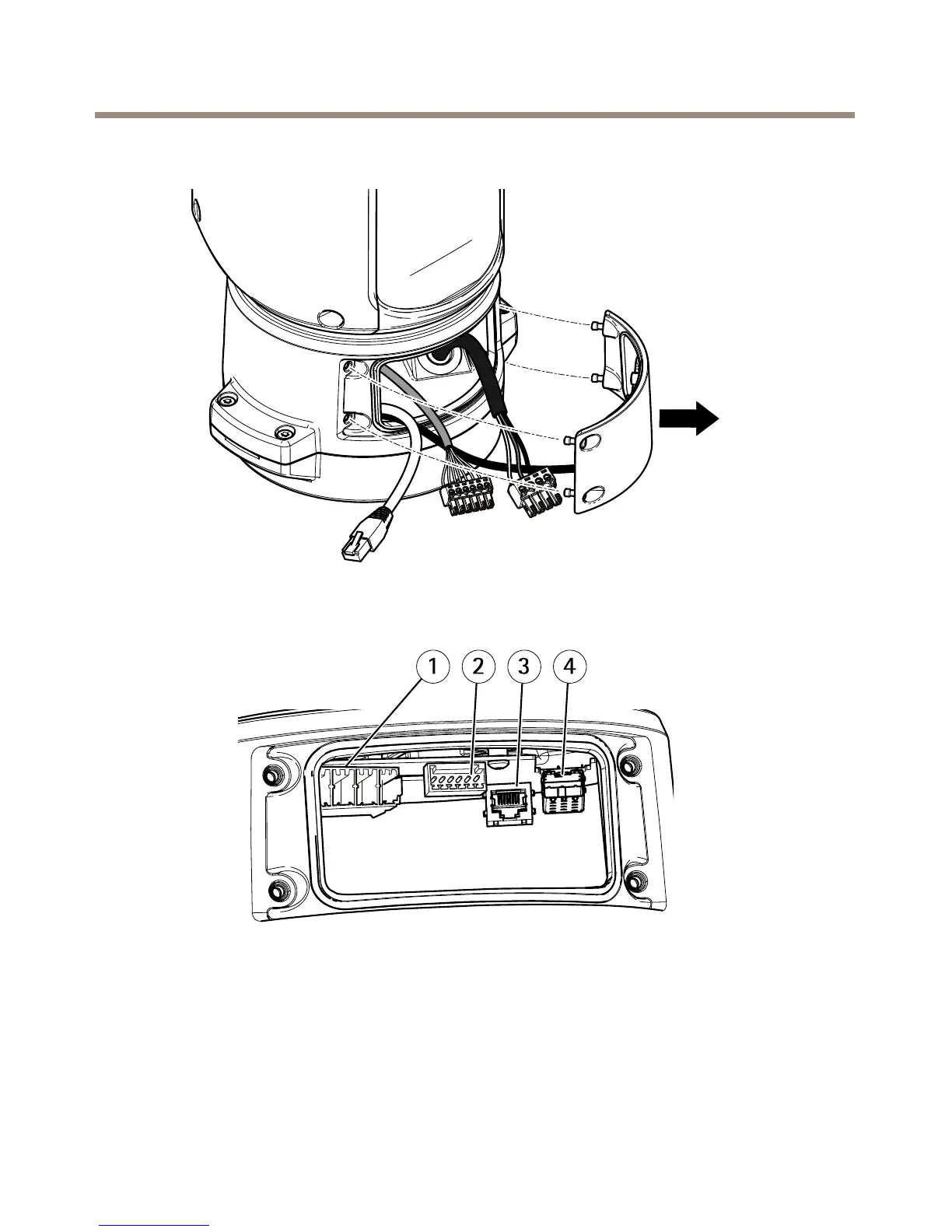
1.Loosenthefourlidscrews(T20)andremovethelid.
1
Inputpowerconnector
2
I/Oconnector
3
RJ45connector
4
SFPslotforSFPmodule(SFPmodulenotincluded)
2.Connectthenetwork(opticalbreand/orRJ45),I/Oandpowercables.Formore
informationondifferentnetworkconnectivityoptions,seeInstallthenetworklinkon
page21.
22


 To Next Page
 Loading...









