AXIS T8123-E/T8124-E Users Guide Page 7
ENGLISH
Installing the Unit
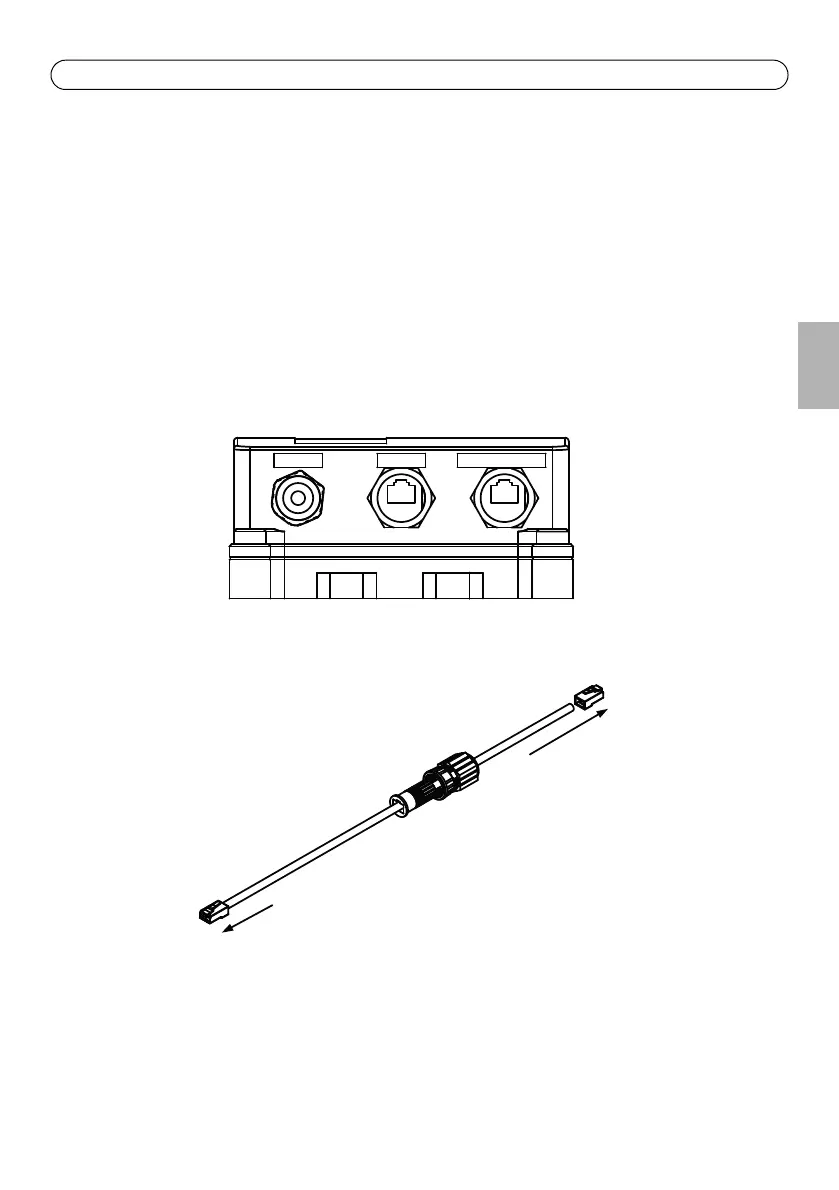
1. Thread male plug waterproof connector cover (A,B and C) on to the Ethernet cable. See Fig 3.
2. Attach the Ethernet cable to DATA IN. See Fig 2
3. Thread plug (A) over the RJ-45 male plug, connected to DATA IN. See Fig 3.
4. Thread housing (B) over the plug and screw (hand tight only). See Fig 3
5. Thread cover (C) over the connector and screw (hand tight only). See Fig 3
6. Repeat steps 2 to 6 for DATA PWR OUT
7. Connect the PoE Midspan to an AC power line (100-240 VAC)
Note: Do not use cross over cable between PoE Midspan output port and load device
DATA IN
DATA PWR OUT
LINE AC
Fig 3
Fig 2
RJ-45 male plug
waterproof
connector
cover
RJ-45
male plug
A
B
C



 To Next Page