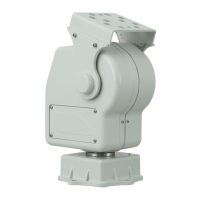
YP3040Pan-TiltMotor
InstalltheHousingonthePan-TiltMotor
1.Detachtheadapterbracketbyremovingthemountingscrewsonthebrace,usingthe
suppliedallenkey.
2.Usethesuppliedtwocountersunkscrewstomountthehousingontheadapterbracket.
3.Attachtheadapterbracketwiththehousingtothebrace.
ConnecttheCables
1.Connectthepowersupplytothepan-tiltmotoraccordingtotheInstallationGuide
suppliedwiththemainsadaptor.TherecommendedmainsadaptorisAXISPS24Mains
Adaptor.Formoreinformationonthisproduct,seetheAxiswebsiteatwww.axis.com
Wirecolor
Connectto
Blue
24VAConpowersupply
Brown
24VAConpowersupply
Powersupplycable24VAC
Yellow/green
GND
2.ConnectthePTZcontrolcabletothecamera’sRS485port.Differentcameramodelshave
differentterminalconnectors,besuretofollowthecorrectdescriptionfortheinstalled
camera.ThecorrectconnectorissuppliedwiththeAxisnetworkcamera.Formore
informationonAxisnetworkcameras,seetheAxiswebsiteatwww.axis.com
Wirecolor
Connectto
RedA+oncamera
PTZcontrolcable(RS485)
BlueB-oncamera
3.Connectthecameratothenetwork,seetheInstallationGuideprovidedwiththecamera.
Note
TheRJ45connectorforthenetworkcablewillnotpassthroughthecableglandonthe
undersideofthehousing.Thecablemustbecut,threadedthroughthecableglandand
thenre-crimped.
7


 To Next Page