EasyManua.ls Logo

Axis YP3040 - User Manual

Axis YP3040
132 pages
Print Icon
To Next Page IconTo Next Page
Loading...
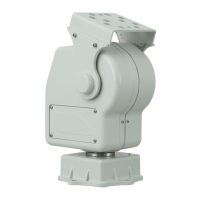
YP3040Pan-TiltMotor
InstallationGuide

Table of Contents

Questions and Answers

  • S
    Samantha MossAug 11, 2025
    Why does my Axis Camera Accessories YP3040 not move?
    • B
      Brian MooreAug 11, 2025
      If the Axis Camera Accessories YP3040 does not move, it could be due to no power being applied. Check that the power supply is connected. Another possible cause is a faulty connection in the power supply. Ensure the power supply cable is intact and correctly connected.
  • W
    William BellAug 19, 2025
    Why Axis Engine YP3040 does not move?
    • H
      Heather RodriguezAug 19, 2025
      If the Axis Engine YP3040 does not move, it could be due to no power being applied. Check that the power supply is connected. Alternatively, there might be a faulty connection in the power supply. Ensure that the power supply cable is intact and connected correctly.
  • A
    Ashley Sims MDAug 26, 2025
    What to do if Axis Engine YP3040 moves but doesn't respond to commands?
    • A
      Anita HarrisonAug 26, 2025
      If the Axis Engine YP3040 moves when power is applied but doesn't respond to commands, it could be due to a faulty RS485 cable connection to the network camera. Check that the RS485 cable is intact and connected correctly. Another potential cause is that the PTZ functionality might not be enabled in the network camera. In this case, you should check that PTZ functionality is enabled in Setup tools.
  • J
    Jim FergusonSep 1, 2025
    What to do if Axis Camera Accessories YP3040 moves but is unresponsive?
    • S
      Scott CastilloSep 1, 2025
      If your Axis Camera Accessories YP3040 moves when power is applied but doesn't respond to commands, the issue might be a faulty RS-485 cable connection to the network camera. Ensure the RS-485 cable is intact and properly connected. Alternatively, the PTZ functionality may not be enabled in the network camera. Verify that PTZ functionality is enabled in the Setup tools.

Summary

Hardware Overview

Product Overview and Dimensions

Diagrams and details of the motor's components and adapter bracket dimensions.

Installation and Setup

Installing Hardware Components

Steps for mounting the wall bracket, pan-tilt motor, and camera housing.

Connecting Cables and Power

Procedure for connecting power and PTZ control cables to the motor and camera.

Accessing Product Features

Instructions for enabling PTZ functionality via the camera's web interface.

Technical Specifications and Configuration

Technical Specifications

Detailed technical data for the YP3040 Pan-Tilt Motor.

DIP Switch Settings

Explanation and procedure for configuring DIP switches for protocol, bit rate, and address.

Troubleshooting

Common Issues and Solutions

Solutions for common problems such as the motor not moving or being unresponsive.

Further Information and Support

Optional Accessories and Learning

Links to optional accessories and online learning materials.

Contact, Warranty, and Support

Details for contacting Axis, warranty information, and accessing support resources.

Legal and Regulatory Compliance

Liability and Use

Details on product liability, warranty, and usage limitations.

Regulatory Information

Compliance information for various regions (Europe, USA, Canada, Japan, Korea).

Disposal and Recycling

Instructions for proper disposal and recycling of the product at the end of its life.

Safety Information

Hazard Levels

Definitions of hazard levels (Danger, Warning, Caution, Notice) and their implications.

Safety Instructions

General safety instructions and guidelines for product handling and transportation.

Axis YP3040 Specifications

General IconGeneral
ColorWhite
Ethernet Ports1
Operating Temperature0 °C to 50 °C (32 °F to 122 °F)
Storage Temperature-40 °C to 70 °C (-40 °F to 158 °F)
MaterialPlastic

Related product manuals