23
E
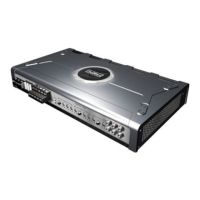
CONNECTING THE C608
IMPORTANT: DISCONNECT THE +12V MAIN POWER CABLE
FROM YOUR CAR BATTERY BEFORE ANY CONNECTING WORK
IS CARRIED OUT!
The recommended power cable cross-section for +12 V
(average length 5 m) and ground cable is 20 mm
2
!
The recommended main fuse value for this amplifier is 60 A!
It is recommended to connect your amplifier as follows:
1
Make sure your head-unit is turned off and the volume control is
in its minimum position.
2
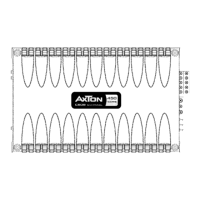
RCA outputs of your head unit to respective RCA inputs of your
amplifier (see connecting diagrams on pages 23 - 24 of this
manual).
Sub pre-outs from head-unit should be fullrange signals because low-
pass pre-out signals always affect filtering electronics of amplifier! In
case of doubt just ‚double‘ a fullrange front or rear pre-out by using
Y-adaptors.
3
Remote lead connection from head-unit to amplifier.
4
Speaker cables to respective speakers or passive crossovers. Make
sure to keep correct polarity! „
“ to „“ and „“ to „“
All speakers must have a minimum impedance of 2 Ohms!!!
5
Ground connection to chassis ground or -12 V negative battery: If
possible ground cable as short as possible and make sure chassis
contact is well sand-papered, i.e. clean from any paint, rust or dirt for
maximum contact.
In case of problems hook-up your your annplifier directly with the -12
V negative pole or your battery.
6
+12 V power connection to positive battery pole. Do not forget
to install a main fuse within 30 cm of car battery (fire hazards)!!!
Do not connect +12 V cable to battery before re-checking every
other connection on the amplifier!
Turn-on your head-unit keeping your volume at the minimum. The
green status LED on the front of the amplifier should light up now.
If not, turn-off your head-unit and recheck all wiring to and from the
amplifier for missing or faulty connections.


 To Next Page