EasyManua.ls Logo

Axxera AVM2207S - User Manual

Axxera AVM2207S
32 pages
Print Icon
To Next Page IconTo Next Page
Loading...
INSTALLATION/OWNER’S MANUAL
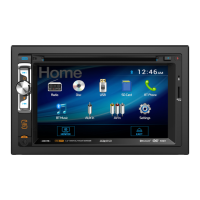
Media Receiver with Android Auto™ and CarPlay™
featuring a 7" digital TFT Display
AVM2207S

Questions and Answers

  • C
    Cynthia AdamsAug 4, 2025
    What to do if my Axxera Receiver unit will not turn on?
    • W
      William HobbsAug 4, 2025
      If your Axxera Receiver unit isn't powering on, here's what to check: * Verify the yellow and red wires are correctly connected and receiving the proper voltage (11~16VDC). * Ensure the black wire is properly connected to ground. * Inspect the fuse(s) and replace them if blown.
  • T
    Thomas RiveraAug 10, 2025
    Why does my Axxera Receiver unit blow fuses?
    • A
      Amanda TorresAug 10, 2025
      If your Axxera Receiver keeps blowing fuses, the issue might be: 1. A yellow or red wire touching the chassis ground. Inspect for any pinched wires. 2. Speaker wires shorting to the chassis ground. Again, check for pinched wires. 3. An incorrect fuse rating. Make sure you're using fuses with the correct rating.
  • C
    Christopher JonesAug 16, 2025
    What to do if my Axxera AVM2207S has power but no sound?
    • S
      Sarah HolmesAug 16, 2025
      If your Axxera Receiver has power but no sound, check the following: * Make sure the speaker wires are properly connected at the speakers. * Ensure that none of the speaker wires are touching each other or the chassis ground. Insulate any bare speaker wires to prevent contact.
  • Y
    yweeksAug 22, 2025
    What to do if my Axxera AVM2207S has audio but no video?
    • J
      Joseph JacksonAug 22, 2025
      If your Axxera Receiver has audio but no video, check the connections at the parking brake and ensure the parking brake is applied. The parking brake safety circuit might not be connected properly.
  • B
    Brooke FieldsAug 28, 2025
    How to fix an Axxera AVM2207S IR remote that does not work?
    • J
      Jose CooperAug 28, 2025
      If the IR remote for your Axxera Receiver isn't working, the first thing to try is replacing the battery.

Summary

Critical Safety Warnings

Safety Information and Precautions

FCC Compliance Statement

Details regulatory compliance with FCC rules regarding radio frequency emissions and interference.

Installation Preparation Steps

Wiring Diagram and Connections

Control Locations and Display Functions

Remote Control Setup and Functions

General Operation Overview

Unit Reset and Setup Menu Navigation

AM;FM Tuner Operation

USB Media Playback

Media File Compatibility

Bluetooth Connectivity and Operation

SiriusXM Satellite Radio Operation

SiriusXM Radio Advisory Messages

Apple CarPlay Integration

Android Auto Integration

Rear RCA Input and Camera

Rear Camera Operation

Details connecting and using an optional rear view camera, including auto-selection feature.

Steering Wheel Control Setup

Troubleshooting Guide

Technical Specifications

Limited One Year Warranty

Axxera AVM2207S Specifications

General IconGeneral
TouchscreenYes
BluetoothYes
USB Ports1
USB InputYes
SD Card InputYes
AM/FM TunerYes
Backup Camera InputYes
Compatible FormatsMP3/WMA/AVI/JPEG
Audio OutputRCA

Related product manuals