EasyManua.ls Logo

Axxera AXV820 - User Manual

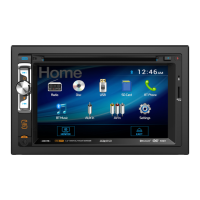
Axxera AXV820
40 pages
Print Icon
To Next Page IconTo Next Page
Loading...
The DVD video display of the in-dash unit will not operate while the vehicle is moving. This is a safety
feature to prevent driver distraction. In-dash DVD video functions will only operate when vehicle is in
Park and the parking brake is engaged. It is illegal in most states for the driver to view video while
the vehicle is in motion.
Safety Notes:
Multimedia Receiver
USB Port
iPod®/iPhone®/Flash Drive
CD
CD-R/RW Compatible
SDHC Supported
Aux
3.5mm Input
MP3/WMA
Playback
AXV820
HFP/A2DP/AVRCP

Other manuals for Axxera AXV820

Questions and Answers

  • P
    Phillip ReynoldsAug 17, 2025
    What to do if my Axxera Car Receiver will not turn on?
    • S
      Sara JacksonAug 17, 2025
      If your Axxera Car Receiver isn't powering on, there could be a few reasons. First, check the yellow and red wires to ensure they're properly connected and receiving the correct voltage (11~16VDC). Next, verify the black wire is securely connected to ground. Finally, inspect the fuse(s) and replace them if they are blown.
  • J
    John ChandlerAug 19, 2025
    Why is there no video display on my Axxera Car Receiver when in reverse?
    • A
      Alex BrownAug 19, 2025
      If you're not seeing a video display on your Axxera Car Receiver when in reverse, verify the reverse circuit is connected properly. Also, ensure that the vehicle is actually in reverse gear.
  • M
    matthew62Aug 22, 2025
    Why won't my Axxera Car Receiver DVD start playback?
    • M
      Margaret HillAug 22, 2025
      If your Axxera Car Receiver DVD isn't starting playback, check the disc for scratches or physical defects. Also, make sure you are using discs labeled "Region 1" or "All".
  • S
    Stephanie TateAug 25, 2025
    Why is my Axxera Car Receiver IR remote not working?
    • H
      hwilliamsAug 25, 2025
      If the IR remote for your Axxera Car Receiver isn't working, the first thing to check is the battery. Replace it with a fresh one.
  • M
    Matthew TaylorAug 27, 2025
    Why does my Axxera Car Receiver have power but no sound?
    • N
      Nathan ThompsonAug 27, 2025
      If your Axxera Car Receiver powers on but produces no sound, the issue likely lies with the speaker connections. Check the speaker wires to ensure they're properly connected at the speakers. Also, make sure that no bare speaker wires are touching each other or the chassis ground; insulate them if they are.
  • L
    Lisa HernandezAug 30, 2025
    What to do if my Axxera Car Receiver keeps blowing fuses?
    • D
      Diana WalkerAug 30, 2025
      If your Axxera Car Receiver is blowing fuses, the cause might be a wiring issue or an incorrect fuse rating. Check the yellow and red wires, as well as the speaker wires, for any pinching against the chassis ground. Also, ensure you are using fuses with the correct rating.
  • T
    Tony MarshallSep 2, 2025
    What to do if my Axxera Car Receiver has audio but no video?
    • A
      Amanda GillSep 2, 2025
      If your Axxera Car Receiver has audio but no video, check the parking brake safety circuit connections. Make sure the parking brake is applied.
  • J
    Julie Savage MDSep 5, 2025
    Why does 'Invalid Region' appear on my Axxera Car Receiver display?
    • A
      andrewlittleSep 5, 2025
      If 'Invalid Region' appears on the display of your Axxera Car Receiver, it means there is a region code error. Use only DVDs labeled “Region 1” or “All”.
  • K
    Kevin LongSep 7, 2025
    Why is there no SD or rear camera video output on my Axxera Car Receiver?
    • J
      Jermaine ThompsonSep 8, 2025
      Video output is not supported for SD mode or rear camera input on your Axxera Car Receiver. Choose Tuner, Disc, operation of iPod, USB, A/V 1 or A/V 2 source to display video output.
  • S
    Sean ConradSep 10, 2025
    Why does 'Invalid Disc' appear on my Axxera Car Receiver, or 'ERROR 2' flash on the LCD?
    • J
      Jessica MooreSep 12, 2025
      If 'Invalid Disc' appears on your Axxera Car Receiver's display, or 'ERROR 2' flashes on the LCD, press EJECT to remove the disc. If the problem continues, press RESET located behind the front panel.

Summary

Safety Information

Driver Distraction Safety Alerts

Crucial warnings about operating the unit while driving.

General Safety Precautions

Guidelines for safe installation and unit operation.

Installation and System Setup

Unit Installation and Mounting

Steps for preparing and mounting the main unit.

Wiring Diagram and Connections

Details input/output connections for various functions.

Unit and Remote Control Layout

Identifies buttons and ports on the unit and remote.

Basic Unit Functions

Covers power, mode selection, menu navigation, and volume control.

Audio and System Settings

Details system settings like reset, audio levels, and loudness.

Media Operations and Compatibility

AM;FM Radio Operation

Instructions for operating the AM/FM tuner and presets.

CD Disc Playback

How to insert, play, and control CD playback.

MP3, WMA, JPG File Playback

Guidelines for playing MP3, WMA, and JPG files.

Disc Media Compatibility

Lists compatible and incompatible disc types and formats.

DVD Playback and Controls

Guides on inserting discs, controls, and playback.

Connectivity and Support

iPod Audio and Video Playback

Connect and play audio/video from an iPod device.

Bluetooth Setup and Device Pairing

Configure Bluetooth, pair devices, and manage connections.

Auxiliary Inputs and Rear Camera

Connect external AV sources and rear camera.

Troubleshooting Guide

Provides solutions for common operational problems.

Axxera AXV820 Specifications

General IconGeneral
TouchscreenYes
BluetoothYes
DVD PlayerYes
USB InputYes
SD Card InputYes
Rear Camera InputYes
Steering Wheel Control CompatibleYes
Display TypeLCD
AM/FM TunerYes
Video PlaybackYes
Audio PlaybackYes
GPS NavigationNo
CompatibilityUniversal
Screen Size6.2 inches
Power Output50 Watts x 4 channels

Related product manuals