EasyManua.ls Logo

Axxera AXM120 - User Manual

Axxera AXM120
16 pages
Print Icon
To Next Page IconTo Next Page
Loading...
INSTALLATION/OWNER'S MANUAL
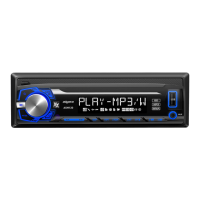
AM/FM Receiver with Detachable Face
AXM120

Questions and Answers

  • J
    James AndersonAug 1, 2025
    How to fix Axxera AXM120 Receiver when it will not turn on?
    • M
      Mark RodriguezAug 1, 2025
      If your Axxera Receiver unit isn't turning on, it could be due to a few reasons. First, check the yellow wire connection and ensure it's receiving the correct voltage (11~16VDC). Also, verify that the black wire is properly connected to ground. Lastly, inspect the fuse and replace it if it's blown.
  • W
    wortizAug 8, 2025
    What to do if my Axxera AXM120 has power but no sound?
    • Q
      qhillAug 8, 2025
      If your Axxera Receiver has power but no sound, it might be due to disconnected speaker wires. Check the speaker connections. Also, make sure that bare speaker wires are not touching each other or the chassis ground; insulate them if they are.
  • M
    Michelle NguyenAug 13, 2025
    Why does my Axxera AXM120 keep blowing fuses?
    • T
      Timothy MartinAug 13, 2025
      If your Axxera Receiver keeps blowing fuses, it could be due to a pinched yellow or red wire touching the chassis ground, or speaker wires touching the chassis ground. Inspect the wiring to find any pinched wires. It could also be due to an incorrect fuse rating, so ensure you are using a fuse with the correct rating.
  • M
    Matthew GarciaAug 20, 2025
    What to do if 'NO FILE' appears on Axxera AXM120 Receiver display?
    • J
      Jason ParkerAug 20, 2025
      If 'NO FILE' appears on the display of your Axxera Receiver, it means that there are no playable MP3 or WMA files found on the device. To solve this, check the device to ensure it contains valid MP3 or WMA files.
  • T
    Taylor AnthonyAug 26, 2025
    What does 'NO SUPPORT' mean on my Axxera AXM120?
    • A
      Alexandra PrinceAug 26, 2025
      If 'NO SUPPORT' appears on your Axxera Receiver display, it indicates that an invalid ID3 tag version is present. Ensure that you are using Version 1.0 to 2.0 ID3 tags, as these are the supported versions.

Summary

AXM120 Installation Guide

Installation Preparation Steps

Steps to prepare for installation, including battery disconnection and component removal.

AXM120 Installation Details

Wiring Diagram and Connections

Visual representation of electrical connections for the unit's wiring harness.

AXM120 Operation Overview

Receiver Control Locations

Identifies and explains the function of each button and port on the receiver unit.

Remote Control Layout

Identifies and explains the function of each button on the remote control.

Basic Unit Operations

Explains fundamental operations like faceplate removal, power, mode selection, and clock setting.

Audio Adjustments and Settings

Details how to adjust audio settings like Bass, Treble, Balance, Fader, Loudness, and Stereo/Mono.

AM;FM Tuner Functions

Instructions for seeking, manual tuning, band selection, and storing stations.

USB;SD Card Media Playback

Guide for connecting and using USB/SD devices for music playback.

USB;SD Card Playback Features

Covers repeat, random, intro functions, media compatibility, and playback order.

USB;SD Card Technical Details

Details playback capacity, USB device compatibility, file format support, and tag display.

AXM120 Troubleshooting Guide

Common Unit Issues and Solutions

Lists common problems, their causes, and suggested solutions for the unit.

AXM120 Warranty Information

Limited One Year Warranty Terms

Outlines warranty coverage, exclusions, and steps for obtaining service.

AXM120 Regulatory Compliance

FCC Compliance Statement

States compliance with FCC rules and warnings regarding modifications and interference.

AXM120 Technical Specifications

Performance and Dimension Details

Lists technical specifications for the FM tuner, AM tuner, and general unit features.

AXM120 Additional Information

User Notes Section

A section for user notes or miscellaneous information.

Axxera AXM120 Specifications

General IconGeneral
Number of Channels4
Display TypeLCD
EQ Bands3
Wireless RemoteYes
USB InputYes
SD Card SlotYes
AUX InputYes
Detachable FaceNo
Radio TunerAM/FM
Preamp Voltage2V

Related product manuals