EasyManua.ls Logo

Axxera AVN6446BT - User Manual

Axxera AVN6446BT
86 pages
Print Icon
To Next Page IconTo Next Page
Loading...
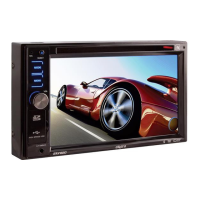
AVN6446BT
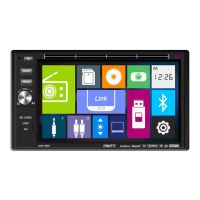
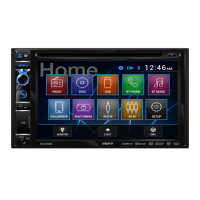
6.2" Multimedia Receiver
DVD / NAV / SiriusXM Ready™ / Built-In Bluetooth /
iPhone® - iPod® / Pandora® / USB / AV In
Operation Manual
160
Watts Peak
40w x 4

Questions and Answers

  • S
    Steven NguyenAug 20, 2025
    Why won't my Axxera Receiver power on?
    • C
      Christine WilliamsAug 20, 2025
      Your Axxera Receiver might not be powering on due to a blown radio fuse or car battery fuse. Replace the fuse with a new one of the correct rating. Alternatively, an illegal operation may have occurred. In this case, press the RESET button located in the middle of the left side of the front panel.
  • S
    Scott WilliamsAug 22, 2025
    What to do if Axxera AVN6446BT has no or low audio output?
    • A
      Ashley GregoryAug 22, 2025
      If your Axxera Receiver has no or low audio output, there might be several reasons: 1. Check the audio output connection. 2. Increase the volume level. 3. Review the wiring diagram and check the “MUTE” connection. 4. Consider replacing damaged speakers. 5. Adjust the channel balance to the center position if it's heavily biased. 6. Insulate all speaker wiring connections to prevent contact with metal parts of the car.
  • T
    timothy15Aug 25, 2025
    What to do if Axxera AVN6446BT Receiver has poor sound quality?
    • V
      Vicki HuffmanAug 25, 2025
      If you're experiencing poor sound quality or distortion with your Axxera Receiver, it could be due to a pirated disc. Use an original copy. Alternatively, the speaker power rating may not be compatible with the unit, so connect proper speakers. Finally, check the speaker contact, as the speaker may be shorted.
  • A
    Angela HardyAug 26, 2025
    Why does my Axxera Receiver unit reset when the engine is off?
    • D
      Darlene SalinasAug 27, 2025
      If your Axxera Receiver resets itself when the engine is off, it's likely due to an incorrect connection between the ACC and positive battery wire. Check the wiring and correct it.
  • M
    Mrs. Vanessa PatelAug 28, 2025
    What to do if Axxera AVN6446BT has no image on the screen?
    • J
      Jesse PerezAug 28, 2025
      If there is no image on the screen of your Axxera Receiver, check the connection to the parking brake wire and correct it if necessary. Also, make sure the parking brake is engaged by stopping the vehicle in a safe place and applying the parking brake.
  • C
    Chelsey WilsonAug 29, 2025
    Why is the image flashing on my Axxera Receiver?
    • T
      Timothy HarrisonAug 29, 2025
      A flashing image or interference on the screen of your Axxera Receiver can occur if the DVD is not compatible with the current TV system settings. Change the setup to accommodate the disc. It can also happen due to improper video signal connections; check the wiring and correct it.
  • C
    Colton RichardSep 1, 2025
    Why is my Axxera AVN6446BT Receiver image blurred?
    • L
      Larry HayesSep 1, 2025
      If the image on your Axxera Receiver is blurred, distorted, or dark, it's likely because the disc is illegally copied. Use an original disc.
  • R
    Richard JonesSep 3, 2025
    How to improve weak station searching on Axxera AVN6446BT?
    • G
      Gary Lopez IISep 3, 2025
      To improve weak station searching on your Axxera Receiver: 1. Ensure the auto antenna is fully extended or connect the auto antenna control cable properly. 2. Make sure the auto antenna is properly connected. 3. Turn off the LOCAL function if it is activated.
  • S
    Sean YoungSep 5, 2025
    What causes interruption during Axxera Receiver playback?
    • M
      Michele HernandezSep 5, 2025
      An interruption during playback on your Axxera Receiver may be caused by a dirty or scratched disc. Clean the disc or replace it. Another cause may be damaged files or a bad recording; recreate the disc with good files.
  • J
    jennifergreenSep 7, 2025
    What does it mean when my Axxera AVN6446BT says 'Bad Disc'?
    • J
      Julie JenkinsSep 7, 2025
      If your Axxera Receiver displays 'Bad Disc', the disc is likely dirty. Clean the disc with a soft cloth. Also, ensure the disc is inserted with the label side up.

Summary

FEATURES

DVD Features

Details features related to DVD playback, including equalizer and picture controls.

CD, MP3, and WMA Features

Lists features for CD, MP3, and WMA disc compatibility and playback.

iPod and iPhone Connectivity

Describes features for connecting and controlling iPod and iPhone devices via USB.

SiriusXM-Ready Features

Details features related to SiriusXM satellite radio compatibility.

WARNING

CONTROLS AND INDICATORS

Disc Slot

Accepts DVD/CD/MP3 discs. Playback starts automatically upon insertion.

LCD Screen and Touch Screen

The primary interface for navigating menus and controlling functions via touch.

USB Port

Connects Apple devices or USB drives for audio/video playback and charging.

Power Control and Muting

Controls unit power, volume adjustment, and audio muting functions.

REMOTE CONTROL FUNCTIONS

SOURCE (SRC) Button

Switches between and selects available audio/video sources.

PLAY;PAUSE and Navigation Buttons

Pauses, resumes, skips tracks, or navigates through media playback.

Remote Control Usage Notes

Provides guidelines for proper remote control operation, handling, and battery care.

EXTERNAL DEVICES

AV In 1 Operation

Connects external devices via 3.5mm jack for audio/video playback.

AV In 2 Operation

Connects external devices via RCA connectors for audio/video playback.

QUICK START GUIDE

Turning the Unit ON or OFF

Instructions on powering the unit on and off using the front panel rotary control.

Selecting Audio;Video Sources

Guides on selecting different sources from the Main Source Menu.

System Settings Adjustment

Volume Adjustment

Adjusts the unit's volume level using the rotary control.

Equalizer Controls

Adjusts audio balance, fader levels, and equalizer settings for optimal sound.

Playing a Disc

Ejecting a Disc

Press the Eject button on the front panel to remove the disc.

Resetting the System

Soft reset procedure to correct system halts or illegal operations using the reset button.

EQUALIZER CONTROL MENU

Equalizer (EQ) - 10 Band

Allows adjustment of 10 equalizer bands, loudness, and balance/fader settings.

SYSTEM SETTINGS

Adjusting a Sub Menu Feature

Guides on navigating and selecting features within system setting sub-menus.

Radio Region and Frequency Spacing

Settings for radio region and frequency spacing for different countries.

Touch Screen Calibration

Adjusts touch screen parameters for accurate input response.

Audio Sub Menu Features

Subwoofer Settings

Turns subwoofer output ON or OFF and sets crossover frequency.

Time Sub Menu Features

Allows adjustment of date, clock mode (12/24hr), and time settings.

Language Sub Menu Features

Bluetooth Sub Menu Features

DVD Sub Menu Features

Volume Sub Menu Features

DISC OPERATION

Compatible Audio Discs Types

Lists playable disc types like DVD, Audio CDs, and MP3 discs.

DVD Operation and Main Menu

Details DVD playback, its limitations, and the main menu interface.

CD OPERATION

CD Main Menu

Shows the on-screen icons and touch key areas for CD playback.

Playback Controls

Controls for pausing, playing next/previous tracks on a CD.

MP3;WMA Operation

Media and File Requirements

Details compatible media and file formats for MP3/WMA discs.

MP3 Format Compatibility

Lists compatible file naming formats and compression settings for MP3/WMA discs.

RADIO TUNER OPERATION

Radio Tuner TFT Display

Overview of the radio tuner screen, its elements, and display indicators.

Preset List and Tuning

Displays and allows recall of stored radio station presets.

Auto Store and Local;Distance

Automatically stores stations and selects reception mode for local or distant stations.

USB OPERATION

Connecting and Removing USB Devices

Instructions for connecting and disconnecting USB flash drives for media playback.

USB Main Menu and Controls

Overview of the USB playback interface and its primary controls.

iPod; iPhone Controls

Accessing iPod;iPhone Mode

How the unit automatically switches to iPod/iPhone mode via USB connection.

iPod;iPhone Main Menu and Controls

Overview of the iPod/iPhone playback interface and its primary controls.

Playback Control

Manually selects tracks by number or navigates through media.

BLUETOOTH OPERATION

Pairing Your Mobile Phone

Step-by-step guide to pair a mobile phone with the unit for Bluetooth functions.

Managing Incoming Calls

Details how the unit handles incoming calls, including answering and managing them.

Bluetooth Music Function

Streams music from mobile phones/players via A2DP/AVRCP profiles.

REAR CAMERA OPERATION

PANDORA RADIO OPERATION

Pandora Radio Interface

Overview of the Pandora Radio interface screen and its basic controls.

Bookmark Sub Menu

Allows bookmarking of favorite tracks and artists within the Pandora app.

SiriusXM RADIO OPERATION

Activating SiriusXM Radio

Steps to activate SiriusXM service and find the unit's Radio ID.

Using Preset Channels

Instructions for storing and recalling SiriusXM channels using preset buttons.

Locking SXM Mature Channels

Secures channels with mature content using a password and lock icon.

TROUBLESHOOTING

Unit Power and Audio Issues

Addresses issues like no power, low audio, distortion, and unit resets.

Disc Playback Troubleshooting

Troubleshooting steps for discs that do not play back or cause interruptions.

CARE AND MAINTENANCE

SPECIFICATIONS

FM and AM Tuner Specifications

Technical specifications detailing FM and AM reception range, sensitivity, and signal quality.

CEA Power Ratings

Details power output and performance metrics according to CEA standards.

Common Replacement Parts

Axxera AVN6446BT Specifications

General IconGeneral
Display Size6.2 inches
BluetoothYes
USB PortYes
NavigationYes
Subwoofer OutputYes
SD Card SlotYes
Rear Camera InputYes
Steering Wheel Control CompatibleYes
AUX InputYes
AM/FM TunerYes
Video PlaybackYes
Audio PlaybackYes
GPS NavigationYes
Audio Output Power50 Watts x 4
Supported FormatsMP3, WMA, AAC, FLAC
Peak Output50 Watts x 4
Preamp OutputsYes, Front, Rear, Sub

Related product manuals