Using the Digicon-1
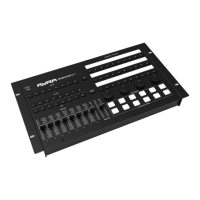
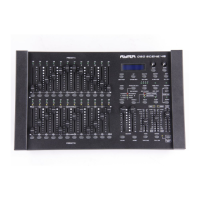
The Ayra DigiCon-1 is a versatile controller (or wing), and offers lighting technicians various options for
sending standard MIDI signal commands to supported software.
This means that the DigiCon-1 is not a stand-alone lighting controller and as such, should be considered a
kind of keyboard that can be used to control specific software functions.
The Digicon-1 operates using MIDI signals only. Developed in the 1980s, MIDI is a communication standard
that’s used by musical instruments and music production gear. Since the MIDI protocol is relatively
straightforward and supported by countless software programmes, it’s the perfect method of communication
for programmable wings like the DigiCon-1.
The DigiCon-1 offers native support for the following software (developers):
- Nicolaudie – Sunlite Suite 3
- ...
Native support for other relevant software may be added in the future. In the meantime, it’s possible to
manually ‘map’ the device to prepare it for use in combination with other MIDI-compatible software that
supports custom mappings.
The table below lists the MIDI messages which can be used to manually map the console.
Ple ase note: The DigiCon-1 features bank functionality for the playback section on the left side of the control
panel (the buttons and faders fitted to the left of the TAP and Black-Out controls). It’s possible to directly
activate a different bank via the Bank 1-8 buttons and use the same buttons to control different parameters
than the ones assigned in the previous bank.
Whenever a different bank is activated, the buttons continue to send out the same MIDI signals, but these
are now sent across different MIDI channels. This means that all buttons and faders of Bank 2 transmit
signals over MIDI channel 2; all buttons and faders of Bank 6 transmit signals over MIDI channel 6; etc.
This ensures that the relatively limited yet clear lay-out of the physical controls (16 buttons + 8 faders)
technically offers you full control over as many as 128 buttons and 64 faders.
Bear in mind however that this functionality may not be supported by your software or it might need to be
unlocked first. Ayra does not provide support for installing or configuring this functionality in combination with
third-party software.
The DigiCon-1 does not feature any physical feedback elements such as status LEDs, which keeps its
control lay-out clear and ensures easy software integration.
Overview:
- Playback button A: Bank button
- Playback button B: Flash button
- Playback button C: Go button
NAME MIDI code BUTTON AND MESSAGE TYPE MIDI CHANNEL MIDI INDEX
Playback1 button A 1D BTN NOTE 1 OFF = 00, ON = 7F
Playback1 button B 1E BTN NOTE 1-8 OFF = 00, ON = 7F
Playback1 button C 1F BTN NOTE 1-8 OFF = 00, ON = 7F
Playback2 button A 20 BTN NOTE 2 OFF = 00, ON = 7F
Playback2 button B 21 BTN NOTE 1-8 OFF = 00, ON = 7F
Playback2 button C 22 BTN NOTE 1-8 OFF = 00, ON = 7F
Playback3 button A 23 BTN NOTE 3 OFF = 00, ON = 7F
Playback3 button B 24 BTN NOTE 1-8 OFF = 00, ON = 7F
Playback3 button C 25 BTN NOTE 1-8 OFF = 00, ON = 7F
The information in this user manual is subject to change at any time without notice.
Version: 1.0 Date of creation and author's initials: 02-12-2020 RV Revision date and author's initials: -


 To Next Page
 Loading...