5
④ CHANNEL UP and DOWN Buon
To change the channel number, use a small, sharp object, such as the p of a pen, and
press the UP or DOWN buon unl the desired channel number is shown on the LCD
Display. Keep the buon pressed down to fast forward the channel numbers. Once the
desired channel number is selected on the receiver, set the transmier to the same
number.
⑤ PHONE Jack
This jack allows you to monitor the sound.
⑥ MIC OUT Jack
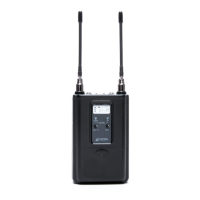
The 310UDR is supplied with both mini-to-mini and mini-to-dual XLR cables.
For mini jack microphone inputs: Use the supplied mini-to-mini cable. Plug one
end of the cable into the 310UDR Receiver and the other end into the micro-
phone input of the video camera.
For 3-pin XLR microphone inputs: Use the supplied mini-to-dual XLR cable. Plug
the mini-plug end of the cable into the 310UDR Receiver (use the screw-down
sleeve to secure it to the receiver) and plug the XLR ends into the microphone
inputs on the video camera.
⑦ Baery Compartment
Remove the baery compartment lid by sliding it down. Install two fresh alkaline “AA”
baeries. Make sure the baery polarity is correct as marked inside the baery com-
partment. Alkaline baeries are preferred, but Azden’s 1HR-3U rechargeable Ni-MH
baeries may be used.


 To Next Page