7
⑧ Baery Compartment
Remove the baery compartment lid by sliding it down. Install two fresh alkaline “AA”
baeries. Make sure the baery polarity is correct as marked inside the baery
compartment.
⑨ Install two fresh alkaline “AA” baeries. Make sure the baery polarity is correct as
marked inside the baery compartment.
Inside the baery compartment, you will also nd:
⑩ MIC Input Level Control
This control enables you to adjust the input level of the microphone. Using the
supplied tool, also found inside the baery compartment, turn the orange dial
clockwise to increase, or counterclockwise to decrease the input level.
⑪ POWER Switch
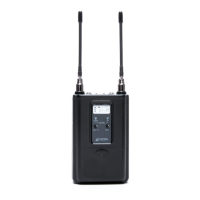
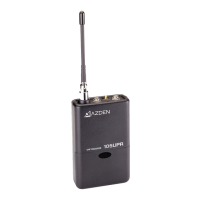
Switches the 35BT Transmier “ON” or “OFF”.
⑫ MIC Input Jack
Plug the supplied EX-503L Lavalier Microphone into the MIC input jack. In addion to
the EX-503L, other lapel and/or headset microphones with 3.5mm mini plug may also
be used with the 35BT.
⑬ LCD Display
The display shows the following informaon:
TV Ch – Transmit Channel Number (i.e. 30 – 01, 31 – 12, 33 – 47)
The TV – Transmit channel display is made of two parts. The rst two digit
number is the actual TV channel (30-33) and the second two digit is the
transmit channel number (01-47).
Baery level by 3-bar indicator (3 bars = High, 1 bar = Low)
⑭ AUDIO Switch
It is best to set the AUDIO switch to “OFF” prior to rst turning the POWER switch “ON”.
When you are ready to begin transming, turn the AUDIO “ON”. The “OFF” posion
acts as “mute” that maintains the RF signal but turns o the audio.


 To Next Page