About the Azurite D32T
4
Unpacking
First of all, before unpacking everything, ensure that
the box contains the following items :
• one base,
• one handset,
• one battery compartment cover,
• one equipped power adapter,
• one telephone line cord,
• two rechargeable batteries,
• this user guide.
In the case of purchasing a pack duo or trio, you will find
in addition for each additional handset :
• a handset charger,
• an additional battery flap,
• two additional rechargeable batteries.
If you have purchased an additional handset pack, you
will find:
• a handset,
• a handset charger,
• an additional battery flap,
• two additional rechargeable batteries,
• this user guide.
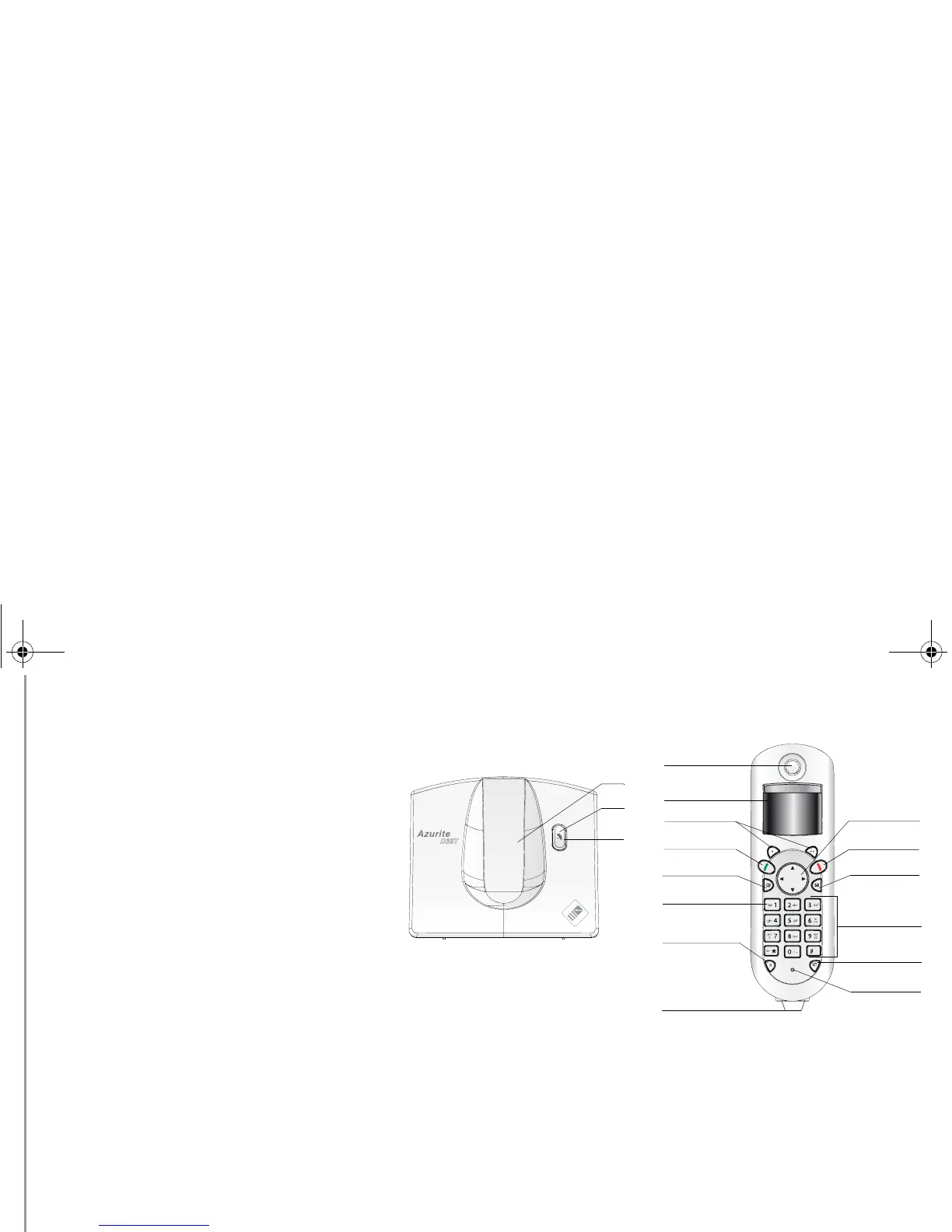
Your base
1. Handset location.
2. Base button
Pressed briefly: handset paging.
Held down: handset registration.
3. Power indicator light
Fixed blue indicator: Powered.
Flashing blue indicator: (handset on line, handset
paging, handset registration).
Your handset
With its user-friendly design, you will appreciate how
easy it is to hold and its quality during conversations.
1. Speaker.
2. Visual display.
3. Program keys.
4. Pick up / Handsfree / Redial (long press) / turn on
the handset.
5. Phonebook key.
6. Access to voice messaging service (Press and
hold)*.
7. Key R (call management).
8. Handset charging contacts.
9. Browser Keys.
10. Hang up / turn off the handset.
11. Direct SMS access.
12. Alphanumeric keypad.
13. Intercommunication key (handset intercom).
14. Microphone.
15. Loudspeaker on the back of the handset.
* For PABX phones the voice mail number can be
programmed. To change it, refer to “Modifying the Voice box
number (according to operator)”, page 19.
2
3
1
1
2
9
4
11
6
7
8
10
5
12
13
3
14
Service entry
LU Azurite D32T- EN.book Page 4 Mercredi, 9. décembre 2009 2:37 14



 To Next Page