15
EN
S
S
S
S
S
S
B2
B1
B2
B1
B2
B1
B2
B1
B2
B1
B2
B1
S
S
S
S
B2
B1
B2
B1
B2
B1
B2
B1
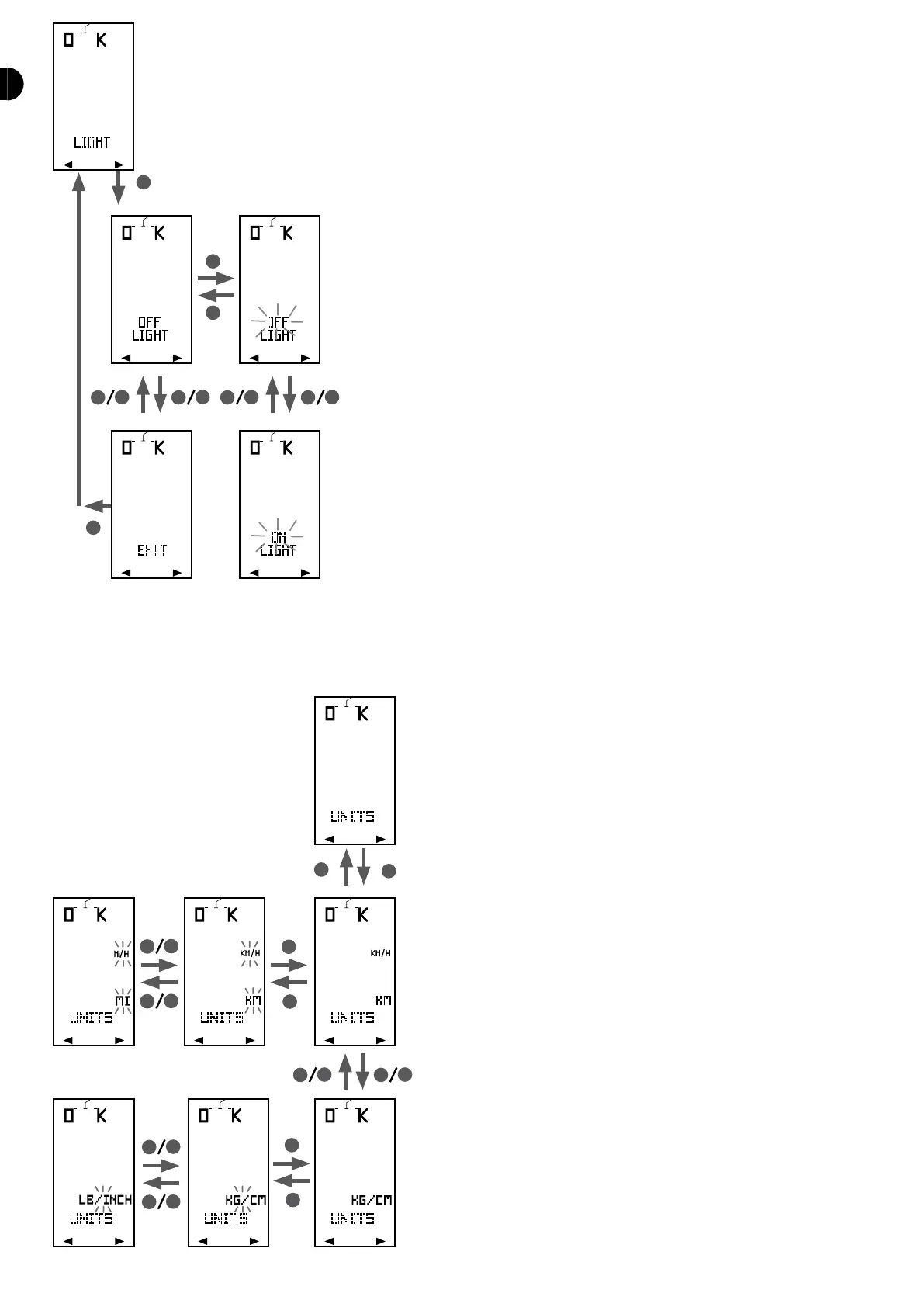
UNITS
Choose your unit system: European (km, kg, cm) or imperial (mi, lbs, inches). Press S to enter
the menu and press S a second time to make the unit ash. Select it with B1 and B2 and
conrm with S.
SENSORS
If you have purchased a new optional sensor (heart-rate monitor or speed/cadence sensor)
for your COUNT14+, you will have to pair it with the computer before using it. You must do
this once when the sensor is set up for the rst time.
In the SENSOR menu you can switch a sensor on or o and start a pairing procedure.
HR SENSOR
to switch the heart rate monitor strap on/o. When you switch the sensor o, the computer
will not start a search for a heart rate sensor when you start a session. When you switch the
sensor on, the sensor pairing procedure will start automatically. Warning: The strap will
then send signals to the computer to be identied, you must therefore wear the chest strap
when you start pairing.
SPEED SENSOR
to start a pairing procedure with a new speed cadence sensor. Warning: The sensor must
send a signal to the computer to be identied, you must therefore turn the rear wheel or the
crankarm when you start pairing.
Once the sensor is identied, you can link it to a bike that has already been set in the
BICYCLE menu.
LANGUAGE
This menu enables you to select the language in which the menus are displayed in your
computer. They are available in 4 languages: English, French, Spanish and Italian.


 To Next Page