15
ENG
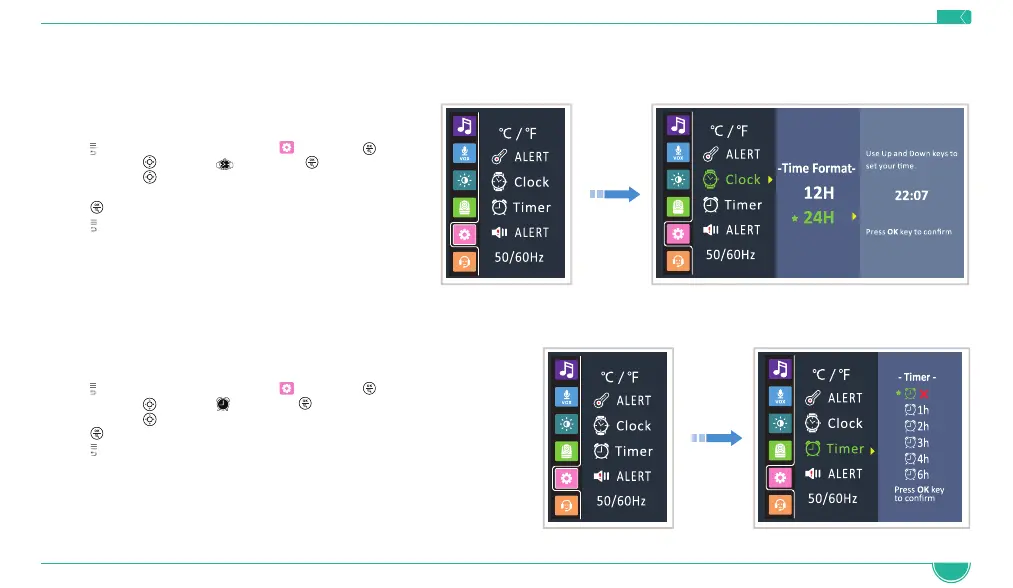
4.9 Time and Time Format Setting
This function allows you to choose the desired time format: 12H or 24H and set your time.
1. Press
to access the menu, choose and press
2. Navigate with to select and press
3. Navigate with
to select the desired format,
and set the time
4. Press
button to confirm
5. Press
to exit the menu
4.10 Timer Setting
1. Press to access the menu, choose and press
2. Navigate with
to select and press
3. Navigate with
to select the desired time
4. Press
button to confirm
5. Press
to exit the menu



 To Next Page