Charging
� Before using the Remote, please make
sure that it is fully charged.
� The Remote contains a rechargeable
lithium battery. Charge the Remote with
the provided USB cable, and the charging
port is located under the rubber cover
located at the bottom of the remote.
� The blue LED flashes when charging is
in progress, and it will remain solid when
fully charged.
� When the battery level of the Remote is
low, the blue LED and the red LED will
start to flash at the same time.
And the low battery icon of the remote
will display on the display screen.
� When the battery is completely drained,
no LED lights will light up when any
button is pressed.
� The keypad will be locked while charging.
� A full charging process takes about 3
hours.
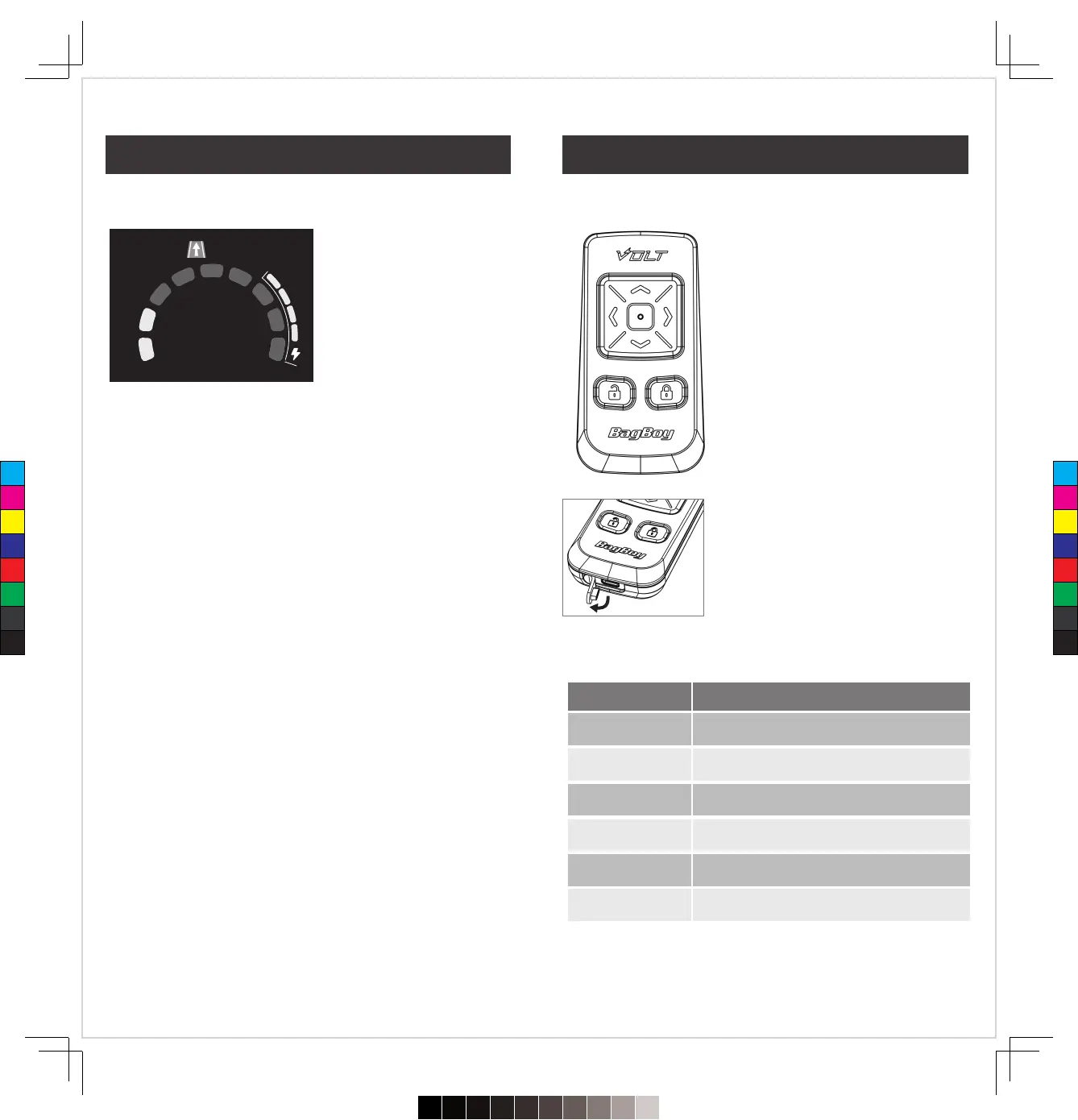
Gyroscopic Straight Line Tracker
� When you use the Remote Control to control the cart to move
forward, the system will automatically turn on this function.
� It can ensure that the cart will move forward in the direction you
expect and will not be offset by the direction of the turf.
� When this function turns on, the icon will display on the screen.
� If the cart hits an obstacle and turns too much, the brakes will be
activated.
The blue and red LED keep flashing.
Low battery
Battery is charging
Ready to pair
Keypad is locked
Keypad is unlocked
The blue LED stays on.
Battery fully charged
The blue LED keeps flashing.
The blue LED and red LED flash separately.
The blue LED lights up while pressing any button.
The red LED lights up while pressing any button.
States Description of LED lights
Trip 1.
12345.6 Mile
MPH
1.7
18
17
Remote Control Remote Control
C
M
Y
CM
MY
CY
CMY
K
720≤£´~§‚•U≠◊ßÔ.pdf102023/7/20下午1:19


 To Next Page