Total Distance
12345.6 Mile
MPH
1.7
Start VOLT
1.Connect the battery into the cart.
2.Press and hold the power button
*
The brakes will be activated automatically every time when you turn on the power.
3.Turn the Dial to choose the desired speed level, then tap the Dial
to start the carts movement.
*
Turning the Dial clockwise will increase the speed while turning the Dial counter-clock
wise will decrease the speed.
4.Tap the Dial to activate/release the brakes (stop).
5.The real-time speed of the cart will display on the middle of the
screen.
6.The speed level (1-9) can be adjusted at any time by turning the
Dial while moving.
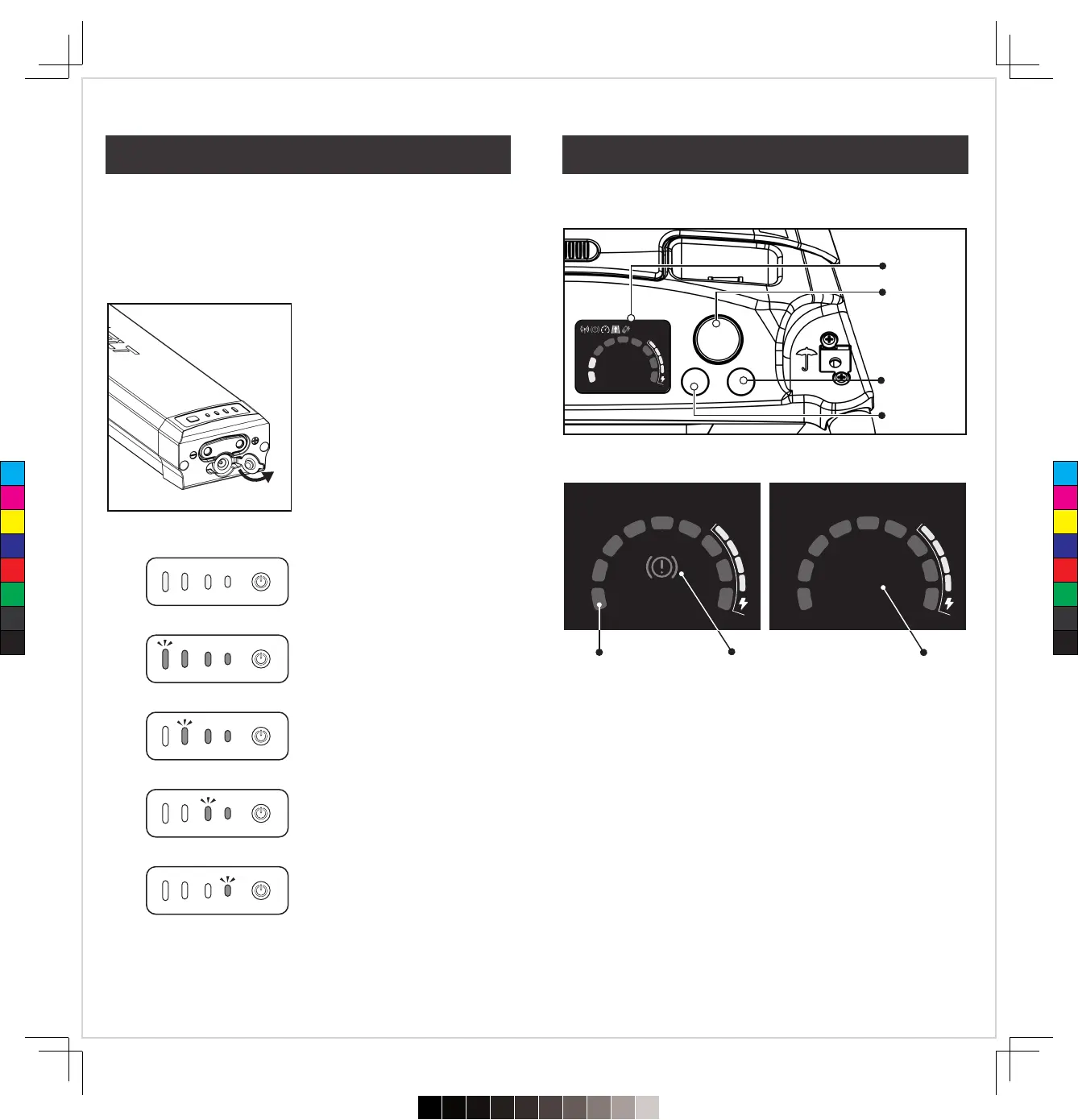
� Charge your battery with the
enclosed charger.
� The LED power lights will flash
when charging is in progress.
� There are lights on the battery to
help you understand the charging
progress.
� When fully charged, the 4 green
LED power lights will be solid for
a second, then turn off.
� A full charging process takes
about 5 hours.
We recommend fully charging your battery as soon as you open
the box and after every round.
— Fully charged —
100% Power Level
— Charging —
100%-75% Power Level
— Charging —
75%-50% Power Level
— Charging —
50%-25% Power Level
— Charging —
25%-0% Power Level
Display
Left Button
Right Button
Dial
Trip 1.
Mile654321 .7890
BRAKE
Trip 1.
12345.6 Mile
MPH
0.0
Speed Level Brake Symbol Cart Speed
12
11
Charging Your Battery Operating & Display
C
M
Y
CM
MY
CY
CMY
K
720≤£´~§‚•U≠◊ßÔ.pdf72023/7/20下午1:19


 To Next Page