5.
For further assistance, go online for helpful instructional videos at bakcou.com
PUTTING ON PEDALS
14. Remove pedals from “Took Kit” box.
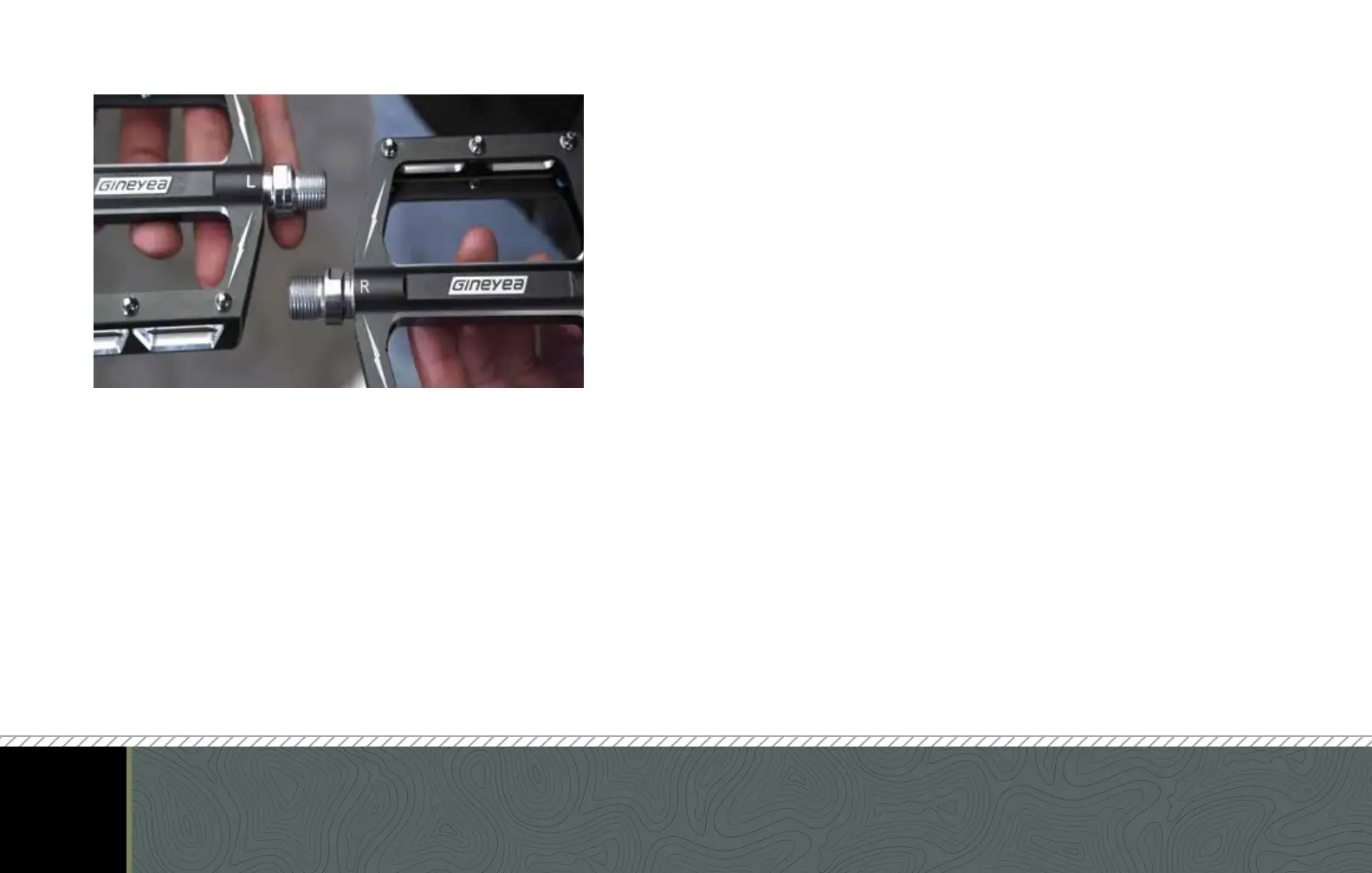
15. Differentiate the right pedal from the left pedal by locating the
small “CR-L” (for the left) and “CR-R” (for the right) inscribed on
the bolt of the pedal. (See Picture)
16. Attach right pedal by screwing into right crank in a clockwise
pattern using 15mm wrench.
17. Attach left pedal by screwing into left crank in counterclockwise
pattern using 15mm wrench.
18. Make certain crank bolts are tightened using 8mm Allen
wrench.



 To Next Page