Page 27 of 50
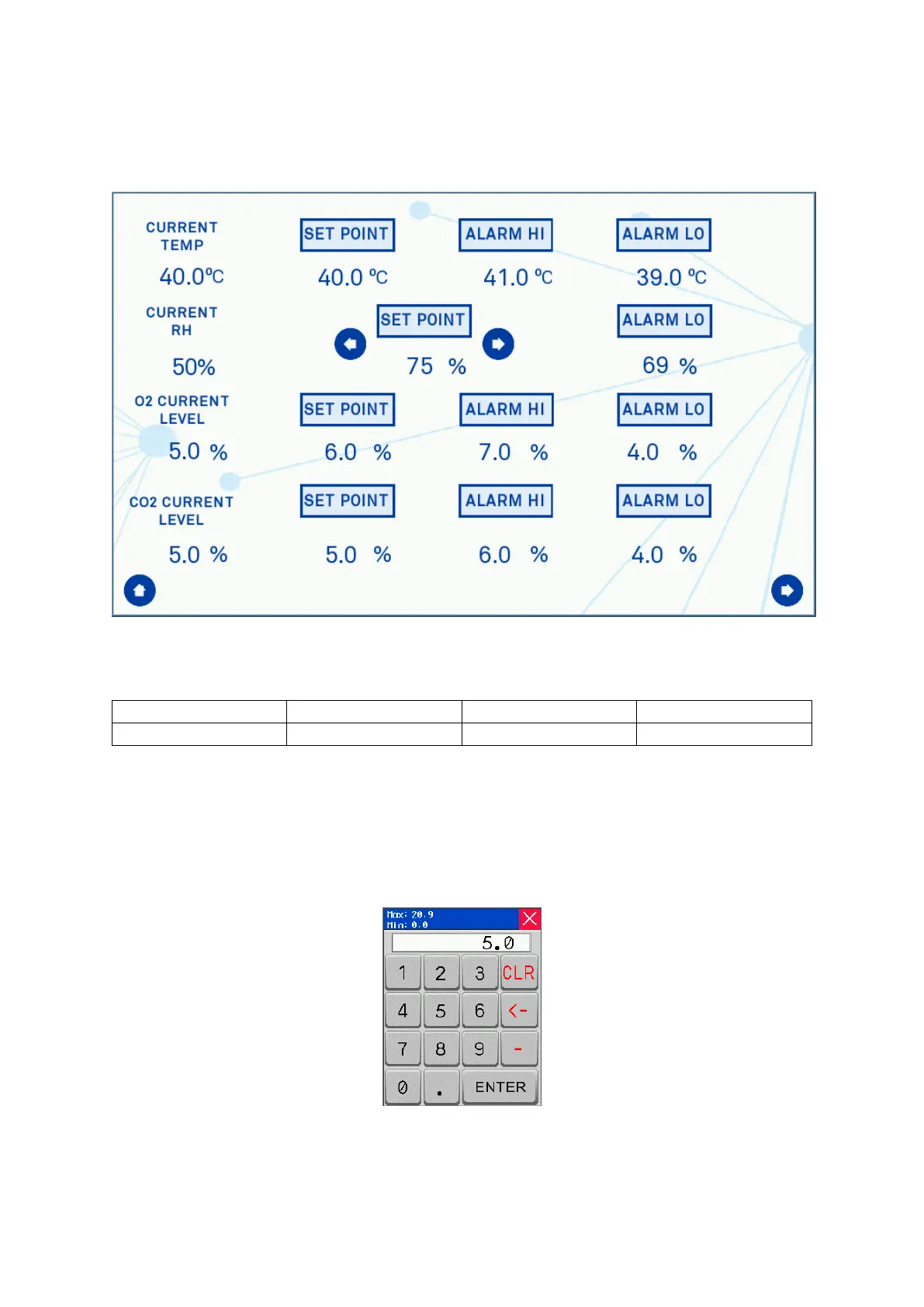
Initial Settings Screen
Pressing the “Atmosphere Control” bar on Screen 3 will open up the settings screen shown
in Screen 4.
Screen 4: Initial Settings Screen with Ultrasonic Humidity Option
Viewing the rows from left to right they display:
Table 6: Settings screen column functions
Rows 2, 3, and 4 can be changed by the user by pressing on the value and a pop-up will
appear for the new setting to be selected, as shown in Screen 5 for the Oxygen set-point.
The humidity set-point is adjusted by using the arrows which increment or decrement the
value by 5%. This will limit the maximum humidity with the workstation. If the actual
humidity level isn’t achieved then the Aquasorb sachet may require re-charging.
Screen 5: Oxygen Level Set-point Pop-up


 To Next Page