32
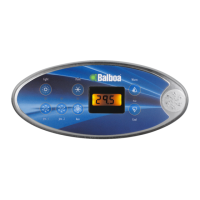
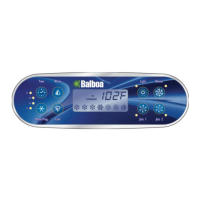
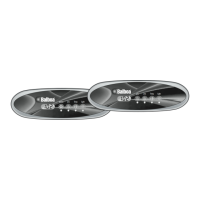
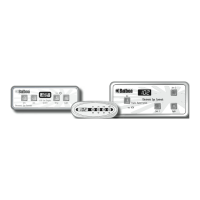
User Preferences ML400
There are several aspects of spa operation that you can
customize using the User Preferences submenu.
Press “Temp” then “Jets”, then “Light”. (Each press must be
within 3 seconds of the previous press.) At this point, if “
” is not showing on the display, press “Temp” until you see
“ ” on the display. Then press “Jets” to enter the User
Preferences submenu.
Once in the User Preferences submenu, press “Temp” to cycle
between these settings:
– Suppress Reminders
When set to “
”, reminders are never
displayed on the panel. When set to “
”,
reminders are displayed on the panel
periodically.
– Temperature in Celsius
When set to “
”, temperatures are displayed
on the panel in degrees Celsius. When set to “
”, temperatures are displayed in Fahrenheit.
– 24-hour Time Display
When set to “
”, time is displayed in 24-hour
(military) format (00:00 is midnight, 23:00 is
one hour before midnight). When set to “
”, time is displayed in 12-hour (am/pm) format
(12:00 is midnight, 11:00 pm is one hour before
midnight).
– Clean-up Cycle Duration (some systems only)
When set to “
”, Clean-up Cycles are disabled.
When set to “
” through “ ”, the number
indicates how many hours each Clean-up Cycle
will run.
– Dolphin II Address
When set to “
”, no addressing is used. Use
this setting for a Dolphin I, or for a Dolphin II
which is set for no address (which is the
Dolphin II factory default). When set to “
”
through “
”, the number is the address (see
your Dolphin II manual for details).
Editing User Preferences ML400
View the setting.
The left two characters (before the decimal point) tell
you what setting you’re viewing or editing, the right most
character (after the decimal point) tells you the value of that
setting (for example, “
” for Yes or “ ” for No). If the value
is flashing, you’re editing it. If the value is not flashing, you’re
just viewing it.
Press “Jets” to switch editing of the value on (flashing) or off
(not flashing).
Once you’re editing the value (it’s flashing), use the “Temp”
buttons to change the value to the one you want.
After you change the value, you must press “Jets” again to
stop the flashing before the change will register, and before
you can view or edit another setting.
If you don’t interact with the menu for more than 30 seconds,
it may time out.
If you press “Light” to back out of the menu, or pause long
enough for it to time out, while a value was flashing, the
changes you were making to that setting are not remem-
bered. But changes you previously made to other settings will
be in effect.
Any User Preferences that you change will stay in effect
“forever” or until you change them again (unless the spa’s
“persistent memory” is reset by a service technician), and
will override the factory defaults for those settings.
ML200, 240, 260, 400 Panel Operation (cont.)



 To Next Page