INSTALLING THE DIE SET
QUICK CHANGE
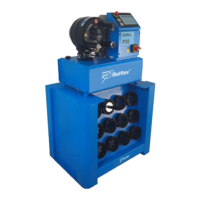
Quick Change Tool Base enables storing die sets under the machine. Die sets can be installed into the master dies
with a quick change tool one set at a time.
• Before installing dies, make sure that the master dies are clean.
• STOP THE MOTOR PRIOR TO CLEANING DIES.
• Open the dies to maximum retraction.
• Insert the pins of the tool into the die set in the die table, turn the tool clockwise and pull the whole set out.
• Hold the handle of the quick change tool as shown in figures below, and make sure your hand will not get
between the dies.
• Mount the die set between master dies and start closing the dies.
TO AVOID DAMAGING MASTER DIES, MAKE SURE THAT ALL DIE SET PINS HIT IN THEIR HOLES.
• Close the master dies completely until the pins are locked in their places. Remove the tool. The dies are now
ready for use.
• Die set is removed from the master dies in reverse order: close the dies, insert the tool into the die set, open
the master dies and place the set back in the die table.
CHANGE OF A SINGLE DIE P20, P32
• Start the motor and depress the retraction button until maximum retraction is reached. Stop the motor.
CAUTION! THE MOTOR SHALL ALWAYS BE STOPPED DURING INSTALLATION OF DIES.
• Prior to installing dies, clean the contact surfaces of both the die set and master dies properly to avoid damaging
the surfaces.
• Pull the pull pin in the master die with the tool delivered together with the machine (see figure).
• Insert the die with the retaining pin into the master die, die number always towards you. Release the pull pin.
• After installing all the dies, make sure they are straight and properly seated in the master dies.



 To Next Page