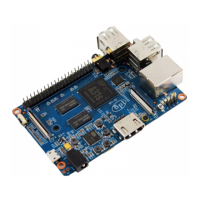
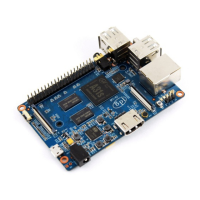
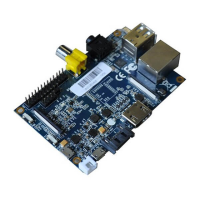
1. Insertthewritten-imageSDcardthattotheSDcardspotontheleftsideedgeoftheundersideoftheboard.
2. 2.Onthebottom"edge"inthemiddleoftheboardistheHDMITypeA(Fullsized)port.JustconnectanyHDMIcable
fromtheboardtoyourTVorHDMIMonitor.
3. PlugaUSBkeyboardandmouseintotheUSBslotslocatedontherightedge.
4. JustundertheUSBportsontherightedgeistheEthernetconnectorforanyonewhowantstoplugtheBananaPiinto
awirednetwork.
5. 5.Finally,attheveryleftofthebottomedgeistheUSBpowerconnector.Pluginaregulatedpowersupplythatisrated
at5V±5%/2000mA(or2A).Anynumberbiggerthan700mAwillalsowork.Avoidusingthesmallerchargersusedfor
smallGSMphones,astheseareoftenunregulated,eveniftheyclaim"5V1A",theymaydo"5V"andmaydo"1A",but
notatthesametime!
Ifallgoeswell,theBananaPiwillbootinafewminutes.ThescreenwilldisplaytheOSGUI.
Step5:ShutdownyourBananaPi
YoucanusetheGUItoshutdowntheBananaPisafely.
Alsoyoucanrunthecommandintheterminal:
sudohaltorsudoshutdown–h
ThiswillshutdownthePIsafely,(justusethepowerkeytoturnoffmightdamagetheSD-cardsfilesystem).Afterthatyou
canpressthepowerkeyfor5secondstoturnitoff.
Ifalliswell,soyoucanusebananapiM2+now.


 To Next Page