EasyManua.ls Logo

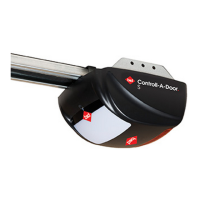
B&D Controll-A-Door Smart SDO-7 User Manual

B&D Controll-A-Door Smart SDO-7
24 pages
To Next Page IconTo Next Page
Page #1 background imageLoading...
Page #1 background image
These instructions are intended for professional garage door
installers. All references are taken from inside looking out.
Controll-A-Door
®
Doc # 161052_02
Part # 86297
Released 05/08/19
Smart SDO-7 & Secure SDO-6
Sectional Door Openers

Questions and Answers:

B&D Controll-A-Door Smart SDO-7 Specifications

General IconGeneral
BrandB&D
ModelControll-A-Door Smart SDO-7
CategoryDoor Opening System
MotorDC Motor
Operating Voltage240V AC
Remote Control Frequency433.92MHz
Courtesy LightYes
TypeSectional Door Opener
Remote ControlYes
SecurityYes
Smartphone ControlYes
Battery BackupYes
CompatibilitySectional doors
Power SourceElectric

Summary

Installation Safety Warnings!

General Safety Precautions

Key safety advice for safe operation, covering unexpected door movement and obstructions.

Electrical Safety

Precautions against electrocution, emphasizing proper earthing and qualified electrical work.

Physical Hazard Warnings

Warnings about risks like muscular strain, ladder falls, crush injuries, entanglement, and entrapment.

Before You Begin

Examine Garage Conditions

Assess ceiling and wall conditions for structural suitability and mounting points.

Test Door Operation

Verify door moves freely, without binding, and holds position when lifted halfway.

Tools Required

Kit Contents

Position

Opener Placement Requirements

Guidelines for opener positioning: dry, protected, with power access and minimum headroom.

Fit the Opener

Secure C-Rail to Opener

Attach C-rail sprocket to drive unit shaft and fix track brackets with screws.

Bracket Position

Wall Bracket Positioning

Determine and mark the correct height and center for the wall bracket installation.

Mounting the Wall Bracket

Marking, drilling, and securing the wall bracket with appropriate fixings.

Attach Track to Wall Bracket

Connect the C-rail to the wall bracket using the provided pin and securing pin snap.

Perforated Angle

Attach Perforated Angle

Secure perforated angle to ceiling support beams for mounting the opener unit.

Mounting Brackets and Arms

Mounting the Door Bracket

Attach the door bracket locator and bracket to the top door panel.

Attaching the Arms

Assemble bent and straight arms, then connect to door bracket and shuttle.

Optional Safety Beam Kit

Safety Beams Installation

Install safety beams to enhance door safety and enable auto-close feature.

Specifications

Setting Limits

Set Limit Positions and Adjust Drive Speed

Configure open/close limits and adjust drive speed using opener buttons.

Clearing Door Limit Positions

Procedure to reset or clear previously set door travel limits.

Re-profiling the Door

Re-learn door travel characteristics after mechanical adjustments.

Safety Testing

Test the Close Cycle

Verify door reverses upon striking an object in its closing path.

Test the Open Cycle

Ensure door stops when manually pulled at the bottom rail during opening.

Test Manual Door Operation

Check door's manual operation for smoothness and required force.

Auto-Close

Enable Auto-Close Function

Configure auto-close modes (standard/beam triggered) and set time intervals.

Coding a Transmitter

Storing Transmitter Code

Program remote control transmitters to operate the opener by storing their codes.

Wall Mounted Transmitter Installation

Mount wall transmitter in a convenient, visible, and child-inaccessible location.

Erasing All Transmitter Codes

Procedure to remove all programmed transmitter codes from the opener's memory.

Vacation Mode

Activate Vacation Mode to lock out all remotes, preventing operation.

Remotely Coding Transmitters

Code new transmitters using a pre-coded transmitter without accessing the opener.

Smart Phone Control (SDO-7 only)

Connecting to Wifi

Link opener to home WiFi via B&D App for smart phone control.

Home Owner Safety Warnings!

General Home Owner Safety

Safety advice for homeowners on manual release, obstructions, and door balance.

Electrical and Adjustment Hazards

Warnings on electrical safety, door adjustments, and injury risks from springs.

Safe Operation Practices

Guidelines for safe door operation: clear of moving parts, use safety beams.

Opener Safety & Security

When Opener Cannot Be Used

Conditions preventing opener use: locking devices or power failures.

When Opener Can Be Used

Situations for opener use: emergencies or power failures.

Disengage and Re-Engage Opener

Procedure to manually disengage and re-engage opener from the door track.

Operating Your Opener

Basic Opener Operation

How to operate the opener using the programmed transmitter button.

User Operating Controls

Control Panel Button Functions

Explanation of each button on the control panel and its function.

Maintenance

Door Maintenance

Regular inspection of door components: cables, springs, fasteners for wear and imbalance.

Battery Replacement

Procedure for replacing transmitter battery and checking status via indicator lights.

Battery Disposal

Environmental guidelines for safe and responsible disposal of used batteries.

Troubleshooting

Opener Not Working / Transmitter Issues

Diagnosing and resolving opener issues with transmitters.

Door Movement Problems

Troubleshooting door movement issues: incorrect or no movement.

Courtesy Light / Reverse / Closing Issues

Resolving problems with courtesy light, door reversing, or failure to close.

Auto Close / Battery Backup Issues

Addressing auto-close faults or slow door movement on battery backup.

Main Light Service/Warning Indicator

Interpreting main light flashes to identify specific issues and remedies.

Accessory Connection/Disconnection

Procedure for safely connecting or disconnecting accessory base station modules.

Service Call Information

Information to provide to dealer when requesting a service call for the opener.

Appendix

Status Indication during Operating Mode

Explanation of LED indicators on the opener and their meanings.

Adjustment Mode Instructions

Guide to entering adjustment mode and selecting/editing parameters using opener buttons.

Adjusting Force Margins

Procedure to fine-tune force margins due to environmental conditions or door performance.

Battery Functions

Details on opener battery backup and how to perform battery state tests.

Setting Limits via Transmitter

Configure open/close limits and adjust drive speed using the remote transmitter.

Setting PET Mode Position

Define a preset 'PET mode' open position for pets or parcels to pass under.

Setting up Tilt Door

Configure opener for J-Type tilt doors, pre-setting limits and customising speed.

Warranty

Warranty Terms and Conditions

Details of warranty coverage, exclusions, and conditions for B&D openers.

Making a Claim and Warranty Conditions

Procedure for making a warranty claim and essential conditions for coverage.

Statutory Guarantees and Exclusions

Australian Consumer Law rights and limitations of B&D's liability.

Related product manuals