EasyManua.ls Logo

B&D Controll-A-Door TB-6 - User Manual

B&D Controll-A-Door TB-6
24 pages
Print Icon
To Next Page IconTo Next Page
Loading...
1
Controll-A-Door
®
Power Drive & Roll-A-Pro
®
Instruction Manual
Controll-A-Door
®
Power Drive
& Roll-A-Pro
®
Doc #: 161040_00
Part #:79129
Released: 04/08/2016
Rolling Door Opener
Instruction Manual

Table of Contents

Questions and Answers

  • J
    Jason RodriguezAug 17, 2025
    How to fix a B&D Door Opening System when the transmitter doesn't work?
    • R
      Richard GillAug 17, 2025
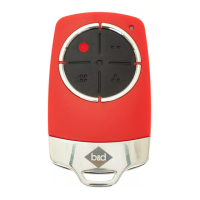
      If your B&D Door Opening System's opener isn't responding to the transmitter, several factors could be at play. First, ensure the opener is receiving power by testing the power point with another device. Next, replace the transmitter battery. Verify that your transmitter uses Tri-Tran+ Technology (grey buttons, model number V2). Also, check if the opener is in “Vacation Mode” and turn it off if it is. Finally, ensure the transmitter button is properly coded to operate the door and that you're pressing the correct button.
  • P
    prussellAug 19, 2025
    Why does my B&D Controll-A-Door TB-6 door reverse for no reason?
    • T
      Timothy JohnsonAug 19, 2025
      If your B&D Door Opening System's door reverses unexpectedly, it could be due to environmental factors like wind, dust, or temperature changes. Ensure the door operates smoothly before increasing the force pressure. Also, if safety beams are installed, check for obstructions in their path and ensure proper alignment.
  • J
    James BrownAug 22, 2025
    What to do if one B&D Controll-A-Door TB-6 transmitter works, but others don't?
    • V
      Vincent FloydAug 22, 2025
      If only one of your B&D Door Opening System transmitters is working, the others may have a faulty transmitter or a flat battery. Try replacing the battery first. If that doesn't work, replace the transmitter.
  • J
    Jimmy HernandezAug 25, 2025
    Why does my B&D Controll-A-Door TB-6 Door Opening System door stop or move slowly?
    • D
      donna86Aug 26, 2025
      If your B&D Door Opening System's door is moving very slowly, check the door's condition, ensuring springs are intact and the door operates smoothly. Also, if it is equipped with batteries, ensure they are adequately charged by connecting to mains power for 24-48 hours.
  • S
    Steven AllenAug 27, 2025
    What does it mean when the Close (Red) LED is flashing on my B&D Controll-A-Door TB-6?
    • C
      Chloe DelgadoAug 28, 2025
      If the Close (Red) LED on your B&D Door Opening System continues to flash, it indicates an obstruction preventing the door from closing. Clear any obstructions and test the door. Also, the limits may be cleared. Remove all power sources (including the battery backup). Wait till all lights are out (10-15 secs), then reconnect power. If Red LED is flashing, limits are not set. Reset Limits.
  • J
    Jesus MayerAug 30, 2025
    Why is the transmitter range of my B&D Door Opening System restricted?
    • J
      John HerreraAug 30, 2025
      If you're experiencing inconsistent transmitter range with your B&D Door Opening System, remember that variations are normal depending on conditions like temperature or external interference. Make sure you can see the door when you use the transmitter. Check the battery status by pressing a button (flashing or no light requires battery to be changed). Try aiming the transmitter through the windscreen.
  • M
    matthew81Sep 2, 2025
    What does it mean when the Open (Green) LED keeps flashing on my B&D Controll-A-Door TB-6 Door Opening System?
    • E
      Elizabeth WyattSep 2, 2025
      If the Open (Green) LED on your B&D Door Opening System continues to flash, it means the door is obstructed while opening. Clear any obstructions and test that the door opens correctly.
  • J
    Jerry YoungSep 5, 2025
    What to do if the SERVICE LED is flashing and beeping on my B&D Door Opening System?
    • C
      Christian WilliamsSep 5, 2025
      If the SERVICE LED on your B&D Door Opening System is flashing and beeping, it indicates a detected fault. Record opener function (How many beeps?) then press the LIMIT SET button once to reset the opener. If the fault continues to be tripped contact 1300 300 625 for support.
  • H
    Heather KruegerSep 7, 2025
    Why are the Open (Green) and Close (Red) LEDs flashing alternatively on my B&D Controll-A-Door TB-6?
    • A
      Andrew LeeSep 7, 2025
      If the Open (Green) and Close (Red) LEDs on your B&D Door Opening System are flashing alternatively, it indicates the opener is overloaded. Check the door's operation by disengaging the motor and ensuring it runs smoothly.
  • S
    Stephanie VegaSep 10, 2025
    What to do if the motor is running but the B&D Controll-A-Door TB-6 door is stationary?
    • B
      bthorntonSep 12, 2025
      If the motor of your B&D Door Opening System is running but the door isn't moving, the opener is likely disengaged. Re-engage the opener.

Summary

Installation Safety Warnings!

Garage Door Opener Setup Requirements

Unsuitable Door Types

Specifies door types incompatible with the opener due to design or features.

Sideroom

Details the required clearance space on the sides of the door for installation.

Fitting the Door Weight Bar

Mounting the Opener

Setting Door Travel Limits

Defining Open and Close Limit Positions

Procedure for defining the door's fully open and closed positions.

Garage Door Opener Safety Testing

Testing the Door Close Cycle

Verifies the door's safety features during closing.

Transmitter Coding and Programming

Storing a Transmitter Code

Programming a remote control button to operate the opener.

Home Owner Safety Warnings!

Opener Safety & Security

Operating your Opener

Troubleshooting

Maintenance

B&D Controll-A-Door TB-6 Specifications

General IconGeneral
BrandB&D
ModelControll-A-Door TB-6
CategoryDoor Opening System
LanguageEnglish

Related product manuals