EasyManua.ls Logo

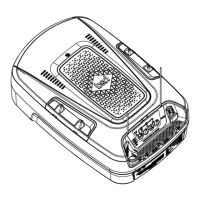
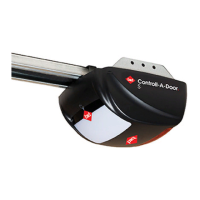
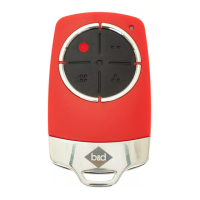
B&D SDO-3V2 Controll-A-Door S User Manual

B&D SDO-3V2 Controll-A-Door S
24 pages
To Next Page IconTo Next Page
Page #1 background imageLoading...
Page #1 background image
Doc #: 161041_00
Part #:79151
Released: 04/08/2016
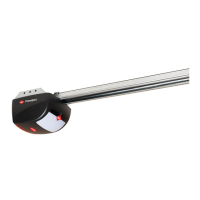
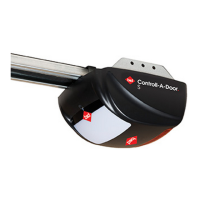
Sectional Door Opener
Instruction Manual
SDO-3V2
Controll-A-Door
®
S
Controll-A-Door
®
S
& PanelPro
®
SDO-4V1
PanelPro
®

Table of Contents

Questions and Answers:

B&D SDO-3V2 Controll-A-Door S Specifications

General IconGeneral
BrandB&D
ModelSDO-3V2 Controll-A-Door S
CategoryDoor Opening System
LanguageEnglish

Summary

Installation Safety Warnings

Before You Begin

Tools Required

Position

Bracket Position

Perforated Angle

Alternative Mounting Option

Specific mounting method for one-piece doors without tracks.

Mounting Brackets and Arms

Mounting The Door Bracket

How to affix the bracket to the garage door panel.

Attaching the Arms

Connecting the opener arms to the door and shuttle.

Connect to Power

Setting the Datum Position

Adjust the Datum

Calibrating the opener's reference point for operation.

Set the Limit Positions

Defining the fully open and closed positions for the door.

Resetting the Door Limit Positions

Procedure to clear previously set door travel limits.

Reset all Factory Defaults

Restoring the opener to its original factory settings.

Setting the PET Mode position

Configuring a partial opening position for pets or parcels.

Safety Testing

Test the Close Cycle

Verifying the door's automatic closing safety reversal.

Adjusting Safety Obstruction Force

Fine-tuning the opener's force sensitivity for obstructions.

Auto-Close & Auxiliary

Safety Beams

How safety beams prevent automatic door closing onto objects.

Auto Close Option

Configuring the automatic closing feature after a delay.

Coding a Transmitter

Storing the Transmitter Code

Pairing a transmitter button to control the door.

Coding a Transmitter to enable AUX Output

Programming a transmitter for the auxiliary output function.

Home Owner Safety Warnings!

Opener Safety & Security

To Disengage the Opener

Steps to manually release the door from the opener.

To Re-Engage the Opener

Steps to reconnect the door to the opener.

Operating your Opener

User Operating Controls

Opener Unit Controls

Details of each button on the opener's control panel.

Door Status Indicators

Opener Status Indicators

Meaning of the various LED lights indicating opener status.

Specifications

Troubleshooting

Troubleshooting Common Issues

Solutions for typical problems like no response or slow movement.

Maintenance

Door Maintenance

Instructions for maintaining the garage door's condition and safety.

Battery Replacement

Service Schedule

Service Indicator and Schedule

Understanding the service indicator and planning maintenance.

Warranty

Making a Warranty Claim

Procedure for submitting a warranty claim.

Warranty Coverage and Exclusions

What is covered by the warranty and what is not.

Warranty Voidance Conditions

Factors that can invalidate the product warranty.

Optional Accessories

Related product manuals