EasyManua.ls Logo

Baofeng UV3R - Page 10

Baofeng UV3R
14 pages
Print Icon
To Next Page IconTo Next Page
To Previous Page IconTo Previous Page
Loading...
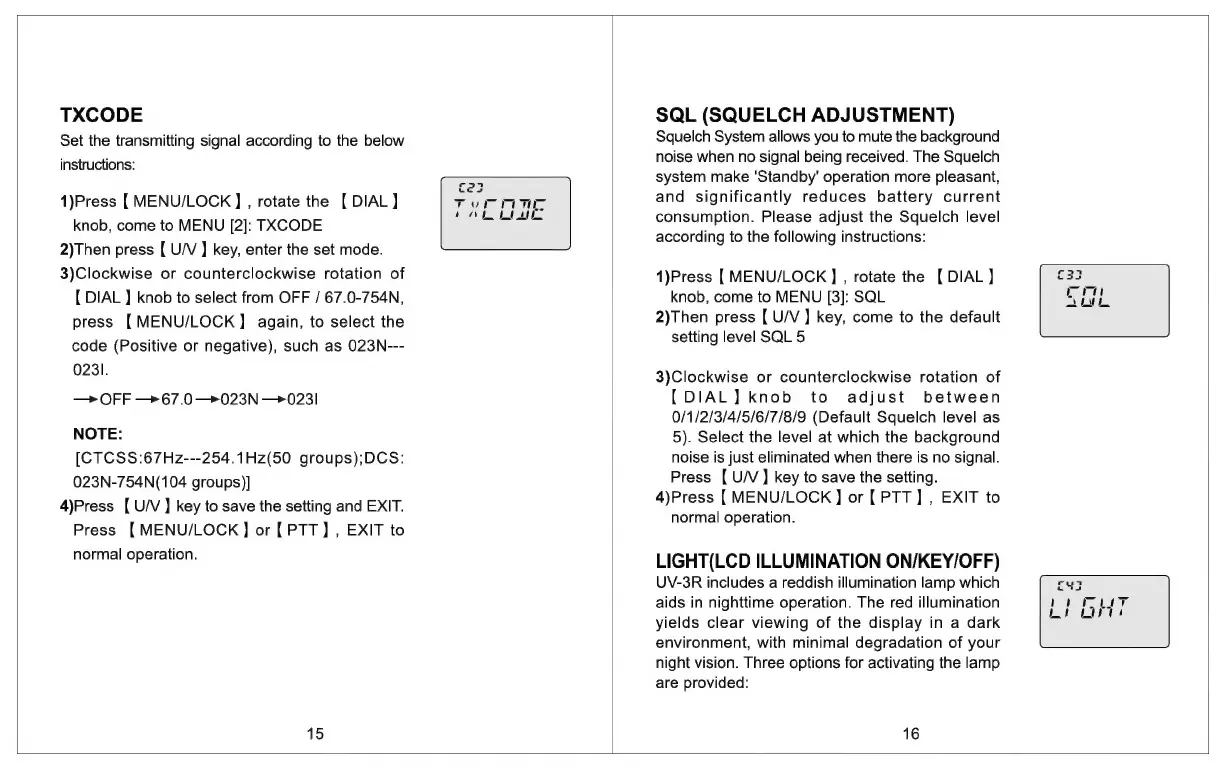
TXCODE
Set
the
transmitting
signal
according
to
the
below
instructions:
1)Press
[
MENU/LOCK
] ,
rotate
the
[DIAL]
knob,
come
to
MENU
[2]:
TXCODE
2)Then
press
[
U/V
]
key,
enter
the
set
mode.
3)Clockwise
or
counterclockwise
rotation
of
{
DIAL
]
knob
to
select
from
OFF
/
67.0-754N,
press
[MENU/LOCK]
again,
to
select
the
code
(Positive
or
negative),
such
as
023N---
023i.
—>
OFF
—>67.0—+023N
—0231
NOTE:
[CTCSS:67Hz---254.1Hz(50
groups);DCS:
023N-754N(104
groups)]
4)Press
[
U/V]
key
to
save
the
setting
and
EXIT.
Press
[MENU/LOCK]
or
[PTT]
,
EXIT
to
normal
operation.
15
SQL
(SQUELCH
ADJUSTMENT)
Squelch
System
allows
you
to
mute
the
background
noise
when
no
signal
being
received.
The
Squelch
system
make
'Standby'
operation
more
pleasant,
and
significantly
reduces
battery
current
consumption.
Please
adjust
the
Squelch
level
according
to
the
following
instructions:
1)Press
[
MENU/LOCK
]
,
rotate
the
[
DIAL]
knob,
come
to
MENU
[3]:
SQL
2)Then
press
[
U/V
]
key,
come
to
the
default
setting
level
SQL
5
3)Clockwise
or
counterclockwise
rotation
of
[DIAL]
knob
to
adjust
between
0/1/2/3/4/5/6/7/8/9
(Default
Squelch
level
as
5).
Select
the
level
at
which
the
background
noise
is
just
eliminated
when
there
is
no
signal.
Press
[
U/V]
key
to
save
the
setting.
4)Press
[
MENU/LOCK
]
or
[PTT]
,
EXIT
to
normal
operation.
LIGHT(LCD
ILLUMINATION
ON/KEY/OFF)
UV-3R
includes
a
reddish
illumination
lamp
which
aids
in
nighttime
operation.
The
red
illumination
yields
clear
viewing
of
the
display
in
a
dark
environment,
with
minimal
degradation
of
your
night
vision.
Three
options
for
activating
the
lamp
are
provided:
16

Related product manuals