EasyManua.ls Logo

Baofeng UV3R - Page 8

Baofeng UV3R
14 pages
Print Icon
To Next Page IconTo Next Page
To Previous Page IconTo Previous Page
Loading...
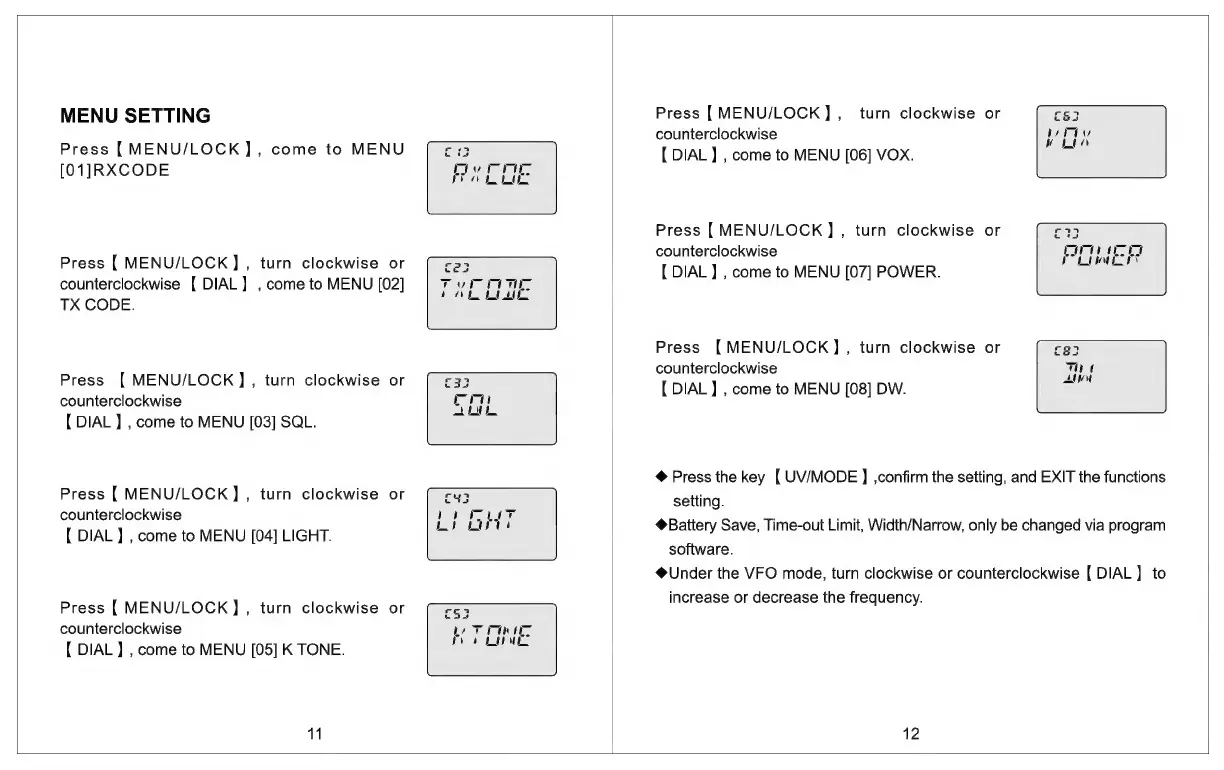
Press
[MENU/LOCK]
,_
turn
clockwise
or
MENU
SETTING
counterclockwise
Press
{
MENU/LOCK
]
,
come
to
MENU
ie
oy
[
DIAL
}
,
come
to
MENU
[06]
VOX.
[01]RXCODE
fay
rie
Press
[MENU/LOCK],
turn
clockwise
or
ah
counterclockwise
Te
ac
Press
[
MENU/LOCK]
,
turn
clockwise
or
r2a
[
DIAL
]
,
come
to
MENU
[07]
POWER
PLUS
counterclockwise
[
DIAL]
,
come
to
MENU
[02]
Tycpne
;
.
TX
CODE.
pee
ae
Press
{MENU/LOCK],
turn
clockwise
or
rea
:
counterclockwise
Tht
Press
[
MENU/LOCK],
turn
clockwise
or
r33
[DIAL
}
,
come
to
MENU
[08]
DW.
AN
counterclockwise
v
i
!
,
:
{
DIAL]
,
come
to
MENU
[03]
SQL.
So
@
Press
the
key
[
UV/MODE
]
,confirm
the
setting,
and
EXIT
the
functions
Press
[
MENU/LOCK]
,
turn
clockwise
or
rug
setting.
counterclockwise
ee
2
ee
:
Pee
: ,
[
DIAL]
,
come
to
MENU
[04]
LIGHT.
ws
warts
Battery
Save,
Time-out
Limit,
Width/Narrow,
only
be
changed
via
program
software.
@Under
the
VFO
mode,
turn
clockwise
or
counterclockwise
{
DIAL]
to
press
CMENULOCK
1)
tum:
clockwise
oF
=
increase
or
decrease
the
frequency.
counterclockwise
be
Ta
0
LOE
{
DIAL]
,
come
to
MENU
[05]
K
TONE.
12

Related product manuals