5. ICMP
5.14 Obtaining the Barco ICMP certificate
Necessary tools
Smartphone (w ith auto-focus) or control software (e.g. Communicator, Commander or WEB Commander)
Using the CertID label to download the ICMP certificate
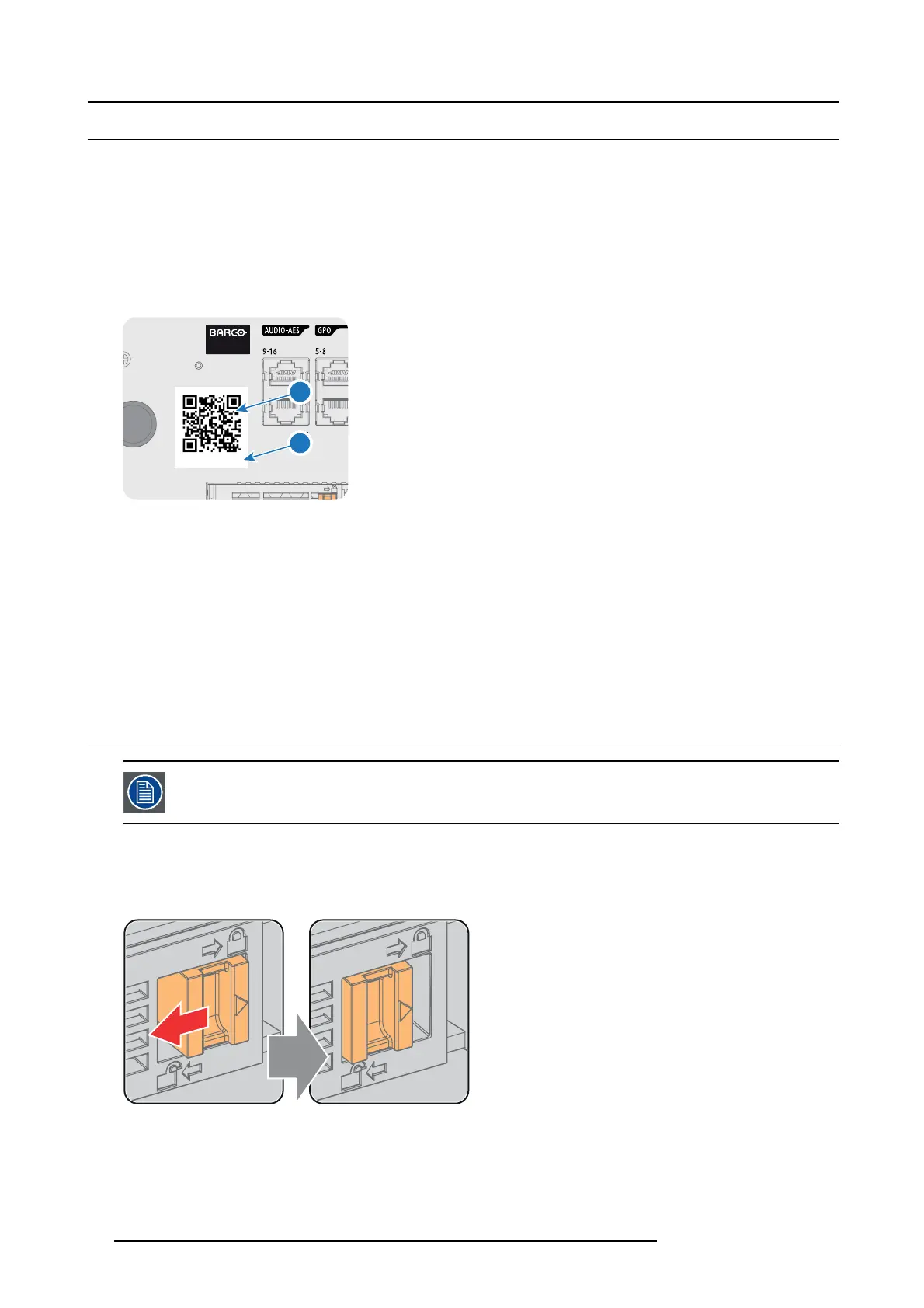
1. Scan the Q R code (reference 1) on the front face of the ICMP with a smartphone. It’s recommended to use a smartphone with
auto-focus. The QR reader will autom atically r edirect to the I CMP certificate download page on the web server.
Note: Instead of downloading the ICMP certificate you can use the C ertID number (reference 2), located below the Q R code,
in comm unication with your KDM s upplier. Certified KDM suppliers can use this CertID number to retrieve the ICMP
certificat e d irectly.
96 92 35 86 40
1
2
Image 5-14
Using control software t o obtain the ICMP certificate
1. Use the WEB Commander to download the ICM P certificate from the ICM P main board. F or detailed instructions see user guide
of the W E B Comm ander.
Or,
use the Commander to download the ICMP certificate from the ICMP main board. For detailed instructions see user guide of
the Commander.
Or,
use the Communicator to download the ICMP certificate from the ICMP main boar d. For detailed instructions s ee user guide
of the Communicator.
5.15 Removing a HDD from the ICMP
In case the ICMP h as to be returned to factory (e.g. for repair) the non defective HD Ds should be removed and
kept.
How to remove a HDD ?
1. Switch off the projector.
2. Moving the latch towards the left.
Image 5-15
3. Push the unlock b utton to open the handle.
52
R5906787 THOR 26/01/2018


 To Next Page