5. ICMP
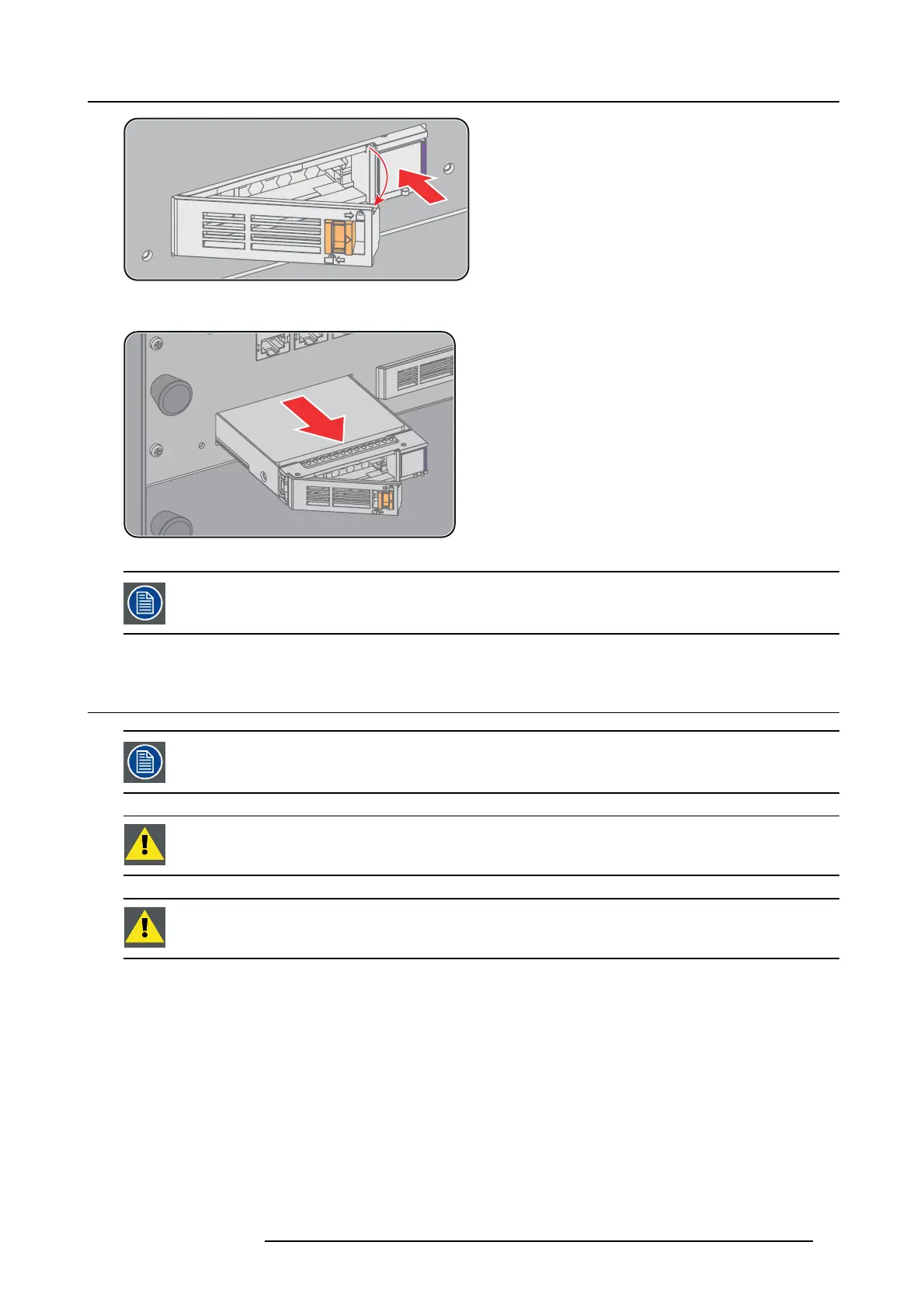
Image 5-16
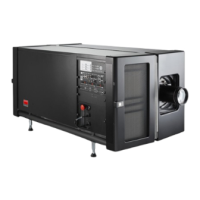
4. Pull the HDD out of its slot.
Image 5-17
To in stall the HDD see procedure "Installing a HDD into the ICMP", page 53.
5.16 Installing a HDD into t he ICMP
This procedure assumes that the HDD slot of the ICMP is em pty. If not, see proced ure "Removing a HDD from
the ICMP ", p age 52.
CAUTION: Always use a new em pty spare part HDD approved by Barco to replace a malfunction HDD. Do not
use a HDD from another ICMP HDD set.
CAUTION: Always m ake sure that all HDDs in the ICMP H DD set have the same storage capacity. S ee label
on top o f the HDD to know the storage cap acity.
How to install a HD D ?
1. Ensure that the projector is s witched off.
2. Prepare the HDD for insertion by moving the latch towards the left and push t he unlock button to open the handle.
R5906787 THOR 26/01/2018
53


 To Next Page