EasyManua.ls Logo

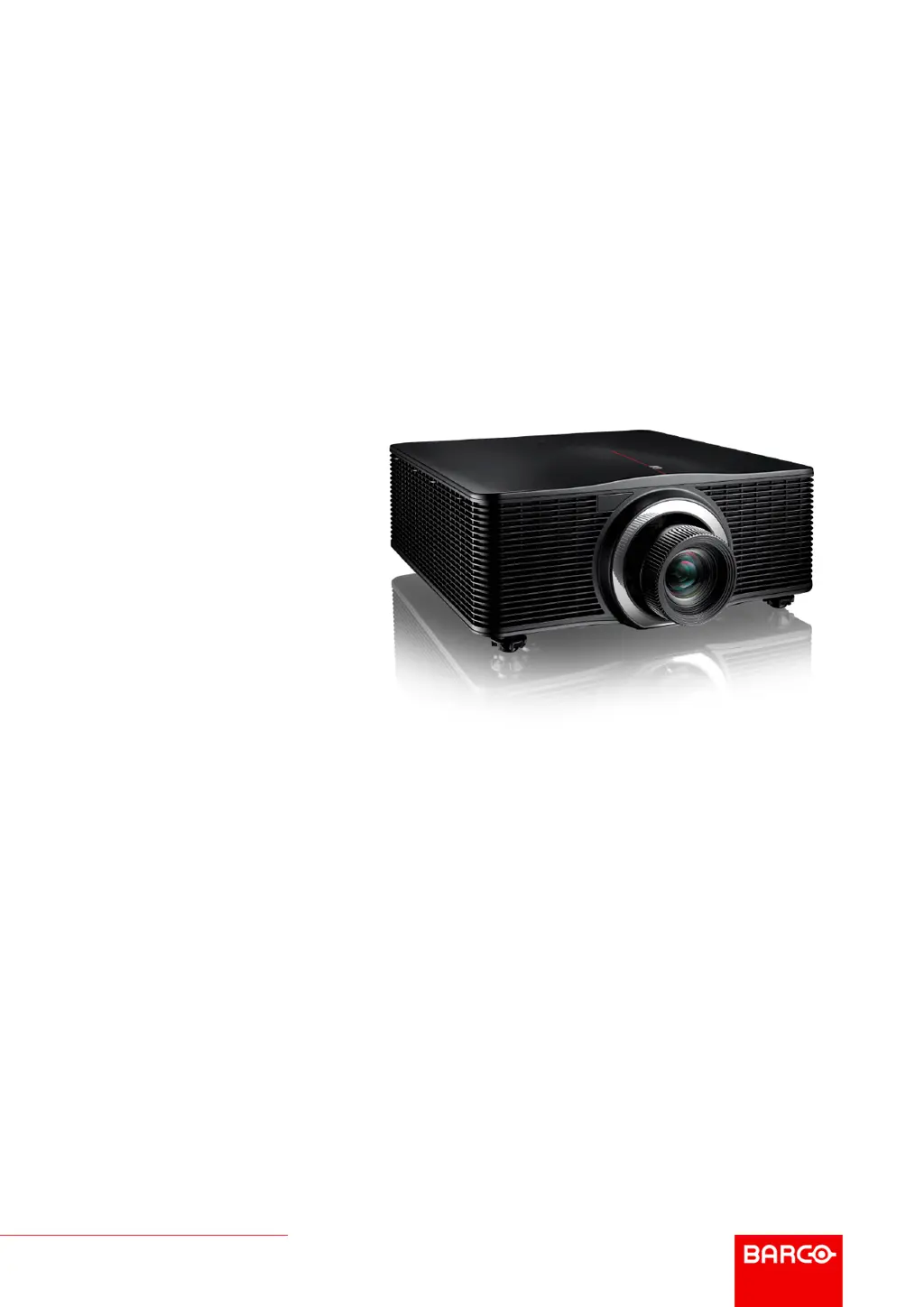
Barco G62 - User Manual

Barco G62
124 pages
Print Icon
To Next Page IconTo Next Page
Loading...
ENABLING BRIGHT OUTCOMES
User guide
G62

Table of Contents

Other manuals for Barco G62

Questions and Answers

  • C
    cynthia35Aug 15, 2025
    How to fix a Barco G62 Projector when no image appears on the screen?
    • R
      Regina SmithAug 15, 2025
      If your Barco Projector shows no image, first ensure all cables and the AC power are correctly connected. Also, check the connectors for any bent or broken pins. Finally, make sure the “Shutter (AV Mute)” function is disabled.
  • E
    Emily GoodwinAug 18, 2025
    How to make the image sharper on my Barco G62 Projector?
    • R
      Regina SpearsAug 18, 2025
      If the image displayed by your Barco Projector is fuzzy and blurry, try pressing the “Focus ?” or “Focus ?” button on the remote control or control panel to adjust the image until it is sharp and clear. Also, ensure the projection screen is at the correct distance from the projector.
  • L
    Linda RodriguezAug 21, 2025
    How to adjust the image size on a Barco G62?
    • G
      gbairdAug 21, 2025
      If the image from your Barco Projector is too small or too large, you can adjust the image size by pressing the “Zoom ?” or “Zoom ?” button on the remote control or control panel, or by selecting “Installation > Lens > Zoom“ from the OSD menu. You can also adjust the distance between the projector and the screen, or modify the aspect ratio by selecting “Installation > Aspect Ratio“ from the OSD menu.
  • A
    amber15Aug 25, 2025
    What to do if my Barco Projector remote control is not working?
    • M
      Monique TerryAug 26, 2025
      If your Barco Projector's remote control isn't working, first check that you are pointing it within ±30° (front and back) of the remote receivers on the projector. Next, inspect the remote's batteries, ensuring they are correctly inserted and not depleted. Lastly, verify that you have set the correct IR code on the remote control.
  • B
    Brittany PattonAug 28, 2025
    Why is my Barco G62 Projector image partial or scrolling?
    • E
      eryanAug 28, 2025
      If your Barco Projector displays a partial, scrolling, or incorrectly displayed image, try pressing “Auto” on the remote control to automatically detect the input signal. If you are using a PC or Notebook, set the resolution to WUXGA (1920 × 1200) or lower. If using a Notebook, ensure you press the appropriate keys to send the signal to the projector. If you still have difficulty, restart all equipment, including the projector.
  • A
    abrownAug 31, 2025
    How to correct keystone on a Barco Projector?
    • O
      ohillAug 31, 2025
      If the image on your Barco Projector is not an even rectangle, perform keystone correction by pressing the “Keystone H“ and “Keystone V“ buttons on the remote control, or by navigating to “Installation > Geometry Correction > Basic Warp > Keystone Horizontal or Vertical” in the OSD menu.
  • L
    Laura LynchSep 4, 2025
    Why is my Barco G62 image stretched with 16:10 DVD videos?
    • E
      Elizabeth EvansSep 4, 2025
      If the image displayed on your Barco Projector is stretched when displaying 16:10 DVD videos, set the appropriate aspect ratio for the projector by selecting “Installation > Aspect Ratio“ from the OSD menu. Also, set the aspect ratio to 16:10 on the DVD player itself.
  • S
    Stephen WalshSep 7, 2025
    How to reverse the image on a Barco Projector?
    • M
      Melissa LoweSep 8, 2025
      If the image on your Barco Projector is reversed, enable rear projection by selecting “Installation > Orientation > Direction > Rear Projection” from the OSD menu.
  • N
    Natasha BrownSep 12, 2025
    What to do if my Barco Projector stops responding?
    • S
      Samuel CookSep 12, 2025
      If your Barco Projector stops responding to all controls, try turning it off, unplugging the power cord, waiting at least 60 seconds, and then reconnecting the power.

Summary

Safety

General Considerations for Safety

Important guidelines and precautions for safe operation and installation.

Important Safety Instructions

Detailed instructions to prevent electrical shock, personal injury, fire, and equipment damage.

Risk Group 3 Safety Precautions

Safety information related to laser risk group 3 and hazard distance.

Remote Control Unit (RCU)

Powering the Projector On and Off

Powering On the Projector

Step-by-step guide on how to turn the projector on and start it.

Powering Off the Projector

Instructions on how to properly shut down and put the projector into standby mode.

User Controls for Installation

Geometry Correction Techniques

Reshaping the projected image using warp control features like Keystone and Pincushion.

User Controls for Image Menu

User Controls for Communication Menu

Troubleshooting Common Issues

Resolving Projector Problems

Solutions for common projector issues like no image, incorrect display, and fuzzy images.

LED Indicator Status Chart

Explains the meaning of different LED status indicators on the projector.

Barco G62 Specifications

General IconGeneral
Contrast Ratio2000:1
TechnologyDLP
Throw Ratio1.5 - 2.0:1
Resolution1920 x 1200
Brightness6000 lumens
Light SourceLamp
Lamp Life3000 hours
Input ConnectorsHDMI, DVI, VGA
Power Consumption450 W

Related product manuals