61R5914653 /02 G62
• DHCP: Turn on DHCP to automatically acquire IP address, subnet mask, gateway, and DNS.
• IP Address: Assign the projector’s IP address.
• Subnet Mask: Assign the projector’s subnet mask.
• Gateway: Assign the projector’s gateway.
• DNS: Assign the projector’s DNS.
• Apply: Apply the wired network settings.
Reset
Reset all network settings to default factory values.
9.4 Control
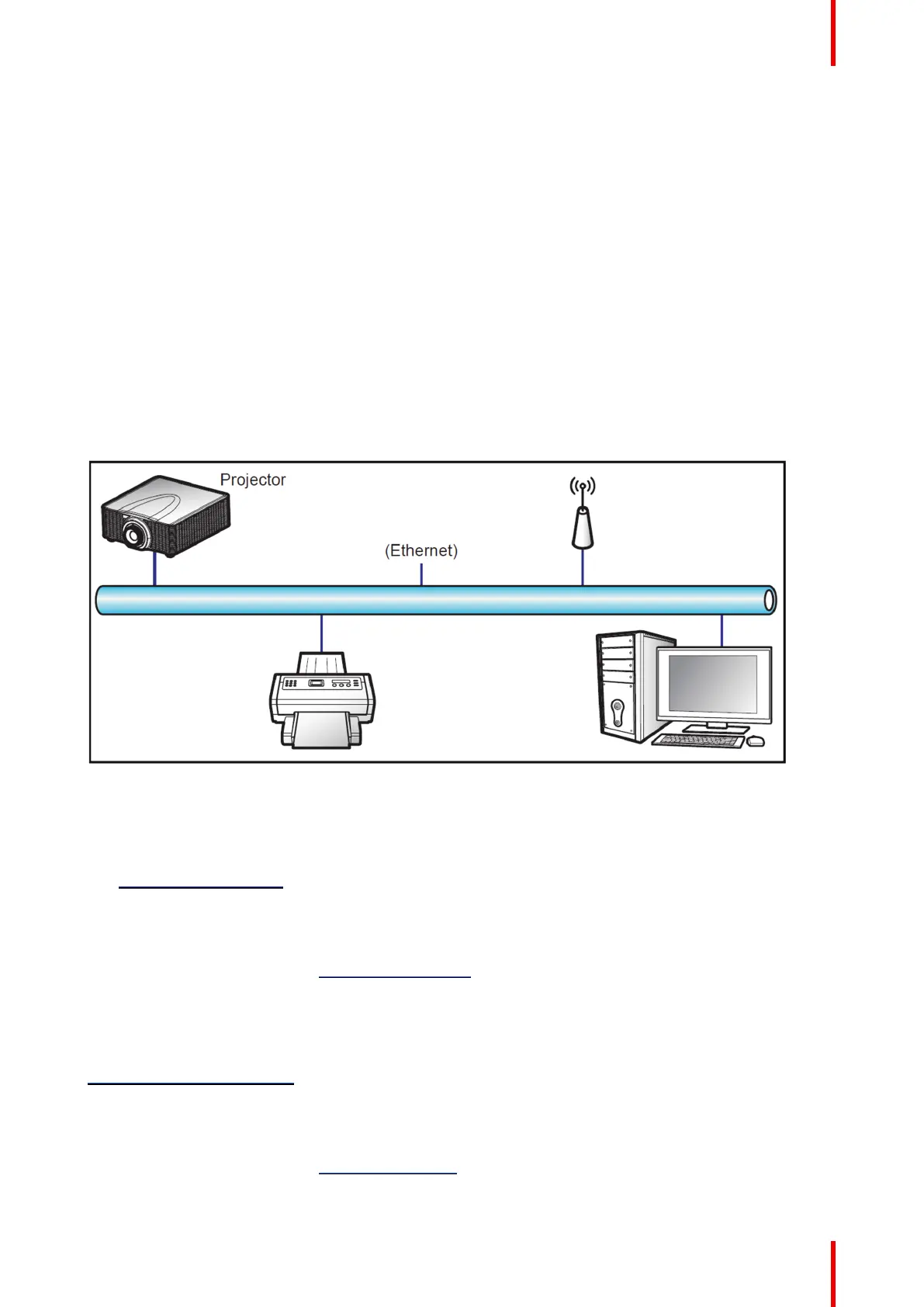
About control
This projector can be controlled remotely by a computer or other external devices through wireless or wired
network connection. It allows the user to control one or more projectors from a distant control center, such as
powering the projector on or off, and adjusting the image brightness or contrast.
Image 9–1
Crestron
Control the projector with Crestron controller and related software. (Port: 41794)
You can configure the IP Address, IPID, and Port for the network connection. For more information, please
visit http://www.crestron.com.
Extron
Control the projector with Extron devices (port 3023).
For more information, please visit http://www.extron.com.
PJ Link
Control the projector with PJLink v1.0 commands (port 4352).
You can configure the IP Address (Service) for the network connection. For more information, please visit
http:// pjlink.jbmia.or.jp/english.
AMX
Control the projector with AMX devices (port 9131).
For more information, please visit http://www.amx.com.
User controls — Communication menu



 To Next Page