5. ICMP
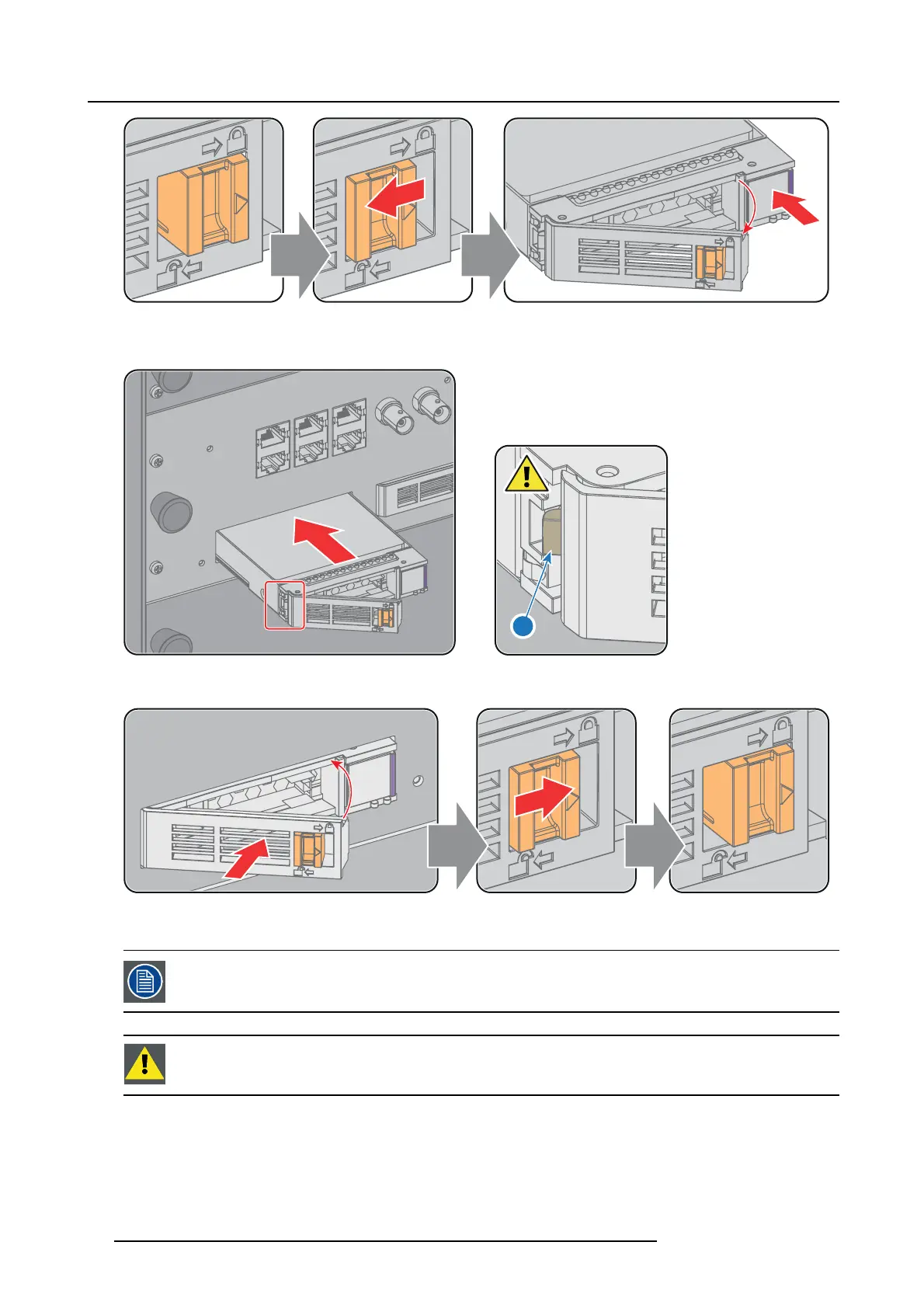
Image 5-18
3. Insert the HDD into the HDD slot. Ensure that the handle is sufficiently open so that the hook (refe
rence 1) of the han dle c an
pass the front plate of the ICMP.
1
Image 5-19
4. Push the HDD completely and firmly inside its slot, c lose the handle, and move the latch towards the right.
Image 5-20
5. Switch on the projector.
In case you replace one HDD (e.g. degraded mode) the ICMP automatically starts with the RAID recovery
process. The red LED o f the
HDD which has to be rebuilt is blinking. This process takes about 200 GB per
hour. Once the RA ID is completed the red LED turns off.
CAUTION: It’s strongly recommended to c om plete the RAID reco very proce ss prior to starting a show. This
to ensu re that the content integrity is preserved an d that the sh ow is not interrupted.
54 R5906787 THOR 26/01/2018


 To Next Page