Manual 2100-671
Page 10 of 44
Run Test Parameter Descriptions
Econ Stage Time: Amount of time (in seconds)
allowed for damper blade movement in each
direction.
Heat/Cool Stage Time: Amount of time (in seconds)
allowed for each stage of heating or cooling.
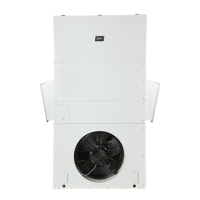
FIGURE 8
Restoring Factory Default Settings
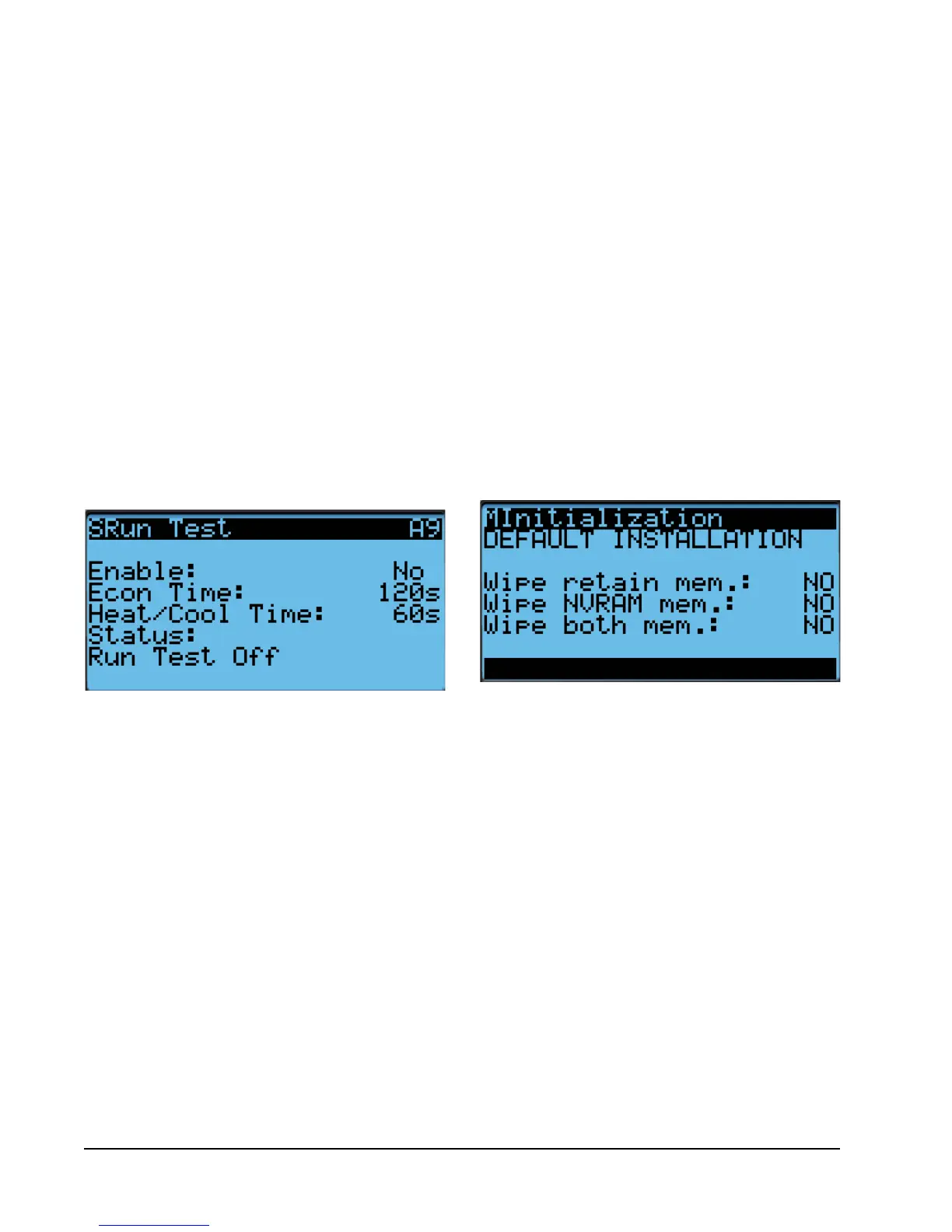
FIGURE 7
Executing Run Test
Executing a Run Test
This unit has the ability to perform a run test that will
operate all available unit functions in order to quickly
determine unit operation. Some unit parameters are
adjustable.
To execute a run test:
1. Press MENU key to access the Main Menu screen.
2. Press UP or DOWN keys and ENTER key to enter
TECHNICIAN password 1313.
3. Press UP or DOWN keys to scroll to Sys Config;
press ENTER key.
4. Press UP or DOWN keys to scroll to Run Test A9
screen.
5. Press ENTER key to scroll to Enable parameter
(see Figure 7).
6. Press UP or DOWN key to change value to Yes.
7. Press ENTER key to save value.
Reset to Factory Defaults
To reset to factory default settings:
1. Press MENU key to go to the Main Menu screen.
2. Use UP or DOWN keys and ENTER key to enter
ENGINEER password 9254.
3. Press UP or DOWN keys to scroll to Settings; press
ENTER key.
4. Press UP or DOWN keys to scroll to Initialization;
press ENTER key.
5. Press UP or DOWN keys to scroll to the Default
Installation screen.
6. Press ENTER key to scroll to Wipe retain mem.
(see Figure 8).
7. Press UP or DOWN key to change value to YES;
press ENTER key.
8. System will restart with default values.


 To Next Page