
 Need help?
Do you have a question about the Barn Owl RangeCam Mini and is the answer not in the manual?
Lists the items included in the camera package.
Steps for inserting batteries, SD card, and SIM card before operation.
Instructions for configuring camera settings and connecting to the network.
Details on the camera's default configuration settings.
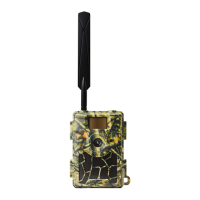
Diagram and labels identifying components on the front of the camera.
Diagram and labels identifying components on the bottom of the camera.
Diagrams and labels for the internal, side, and back views of the camera.
Overview of the camera's primary features and capabilities.
Explanation of battery types, solar panel, and AC adapter usage.
Details on SD card usage, capacity, and handling.
Instructions for connecting the camera to a PC via USB.
Key safety and operational advice for using the camera.
Summary of the camera's main technical specifications.
Guide on how to view recorded videos and photos on the camera.
Instructions for deleting individual or all recorded files.
Steps for formatting the SD card for optimal performance.
Explanation of the camera's auto power-off feature.
How to access and use the camera's settings and configuration menu.
Solutions for when the camera fails to capture desired subjects.
Tips to improve the performance of the night vision flash range.
 General
| Brand | Barn Owl |
|---|---|
| Model | RangeCam Mini |
| Category | Security Camera |
| Language | English |

 To Next Page
