
 Need help?
Do you have a question about the Barnes & Noble NOOK 1st Edition and is the answer not in the manual?
Details the content covered in the Quick Start Guide.
Instructions on accessing the pre-loaded User Guide for comprehensive features.
Information on finding extra help via website and customer service contacts.
Instructions for turning the NOOK on, off, and putting it to sleep.
Explains how to use the buttons on the sides to turn pages.
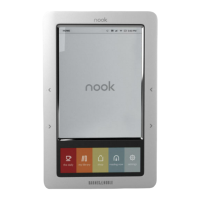
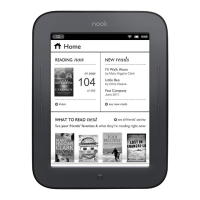
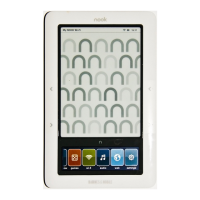
Describes the function of the Home button and the color touchscreen.
Identifies the speaker, headphone jack, charging light, and USB port.
Identifies the USB Cable and Power Adapter provided with the NOOK.
Explains the function of the yellow light during charging.
Warning against turning off the NOOK while charging.
Guide to charging the NOOK using a computer's USB port.
Details E Ink display benefits and navigation methods.
Explains the icons and information shown in the status bar.
Specifies using fingers for input and what is not recognized.
Information on the touchscreen dimming and how to wake it.
Overview of Home menu icons and their functions.
Instructions on swiping eBook covers to navigate.
How to use up/down arrows and the select button for navigation.
Explanation of the scrollbar and the back button functionality.
Instructions for using Shift, 123, and #+= keys for typing.
Details needed BN.com account, credit card, and billing info.
Specifies password must be alphanumeric only.
Process of entering email, password, and submitting for registration.
Instructions for purchasing, sampling, and downloading content.
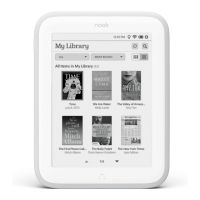
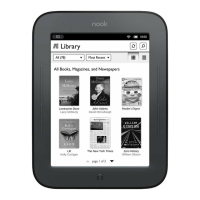
Procedure to find and open a purchased eBook from your library.
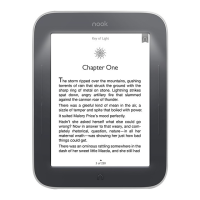
Methods for turning pages using buttons or the touchscreen.
Instructions for modifying font type and text size.
Contact details for customer service and technical support.
 General
| Release Date | November 2009 |
|---|---|
| Display Type | E Ink |
| Resolution | 600 x 800 pixels |
| Grayscale | 16 Levels |
| Secondary Display | No |
| Internal Storage | 2 GB |
| 3G | No |
| Audio | No |
| Expandable Storage | microSD |
| Wireless Connectivity | Wi-Fi |
| Battery Life | Up to 10 days |
| Supported Formats | EPUB, PDF, JPG, GIF, PNG |
| Operating System | Android-based |
| Dimensions | 7.7 in (196 mm) x 4.9 in (124 mm) x 0.5 in (13 mm) |




 To Next Page